Key Takeaways
- VT Markets Copy Trading allows users to replicate trades from selected Signal Providers in their own trading accounts.
- Key features include the Copy Leaderboard, Favourites, Tourist Mode, margin adjustment and account performance monitoring tools.
- Reviewing a provider’s trading history, trading style and available risk indicators can help users assess their suitability.
- Copy Trading does not guarantee profits, and users may lose some or all of their allocated capital.
Between economic data, world events and swings in investor sentiment, there’s a lot to keep track of in the markets. For anyone new to trading, staying informed while building market knowledge is not an easy task.
Copy trading offers an alternative way to participate in the markets, opening up new possibilities for individuals with different levels of trading experience.
In this guide, we’ll explore VT Markets Copy Trading, including its key features and steps to get started.
What is VT Markets Copy Trading?
VT Markets Copy Trading allows you to follow a strategy provider and automatically replicate their trades in your own account using the funds you allocate. It offers a simple way to take part in financial markets without having to make every trading decision yourself.
Copied trades are carried out according to your account settings, and your results may differ from the strategy provider you follow due to differences in trade size, execution prices and market conditions.
Copier vs Signal Provider
Copy trading involves two key participants: the Copier and the Signal Provider, each playing a distinct role in the process. Understanding the differences can help you decide which role aligns with your trading goals.
| Aspect | Copier | Signal Provider |
|---|---|---|
| Role | Follows a selected Signal Provider and copies eligible trades into their Copy Trading account. | Shares their trading activity for Copiers to follow. |
| Main objective | Participate in the markets by following another trader’s approach, without making every trading decision independently. | Make trading decisions and allow other users to copy eligible trades. |
| Account setup | Opens or selects an eligible Copy Trading account and funds it according to the applicable requirements. | Opens a Copy Trading account and accepts the Signal Provider terms and conditions, where required. |
| Trading activity | Copied trades are replicated according to the applicable copy settings and account conditions. | Executes trades that may be replicated in Copiers’ accounts. |
| Settings and controls | Can configure available copy settings, including Used Margin Multiples, to adjust copied trade allocation. | Manages their own trading activity and available provider settings. |
| Performance monitoring | Reviews account equity, profit and loss (P&L), and other available account performance information. | Reviews their own trading performance and strategy activity. |
| Risk responsibility | Remains exposed to losses from copied trades and is responsible for managing their account risk. | Trading performance can affect Copiers’ results, but similar outcomes are not guaranteed across accounts. |
Note: Available features, account requirements and settings may vary depending on your account type and the applicable VT Markets entity.
Key Copy Trading Features in the VT Markets App
Browse Signal Providers, compare performance and manage your copy trading settings in the app.
Copy Leaderboard
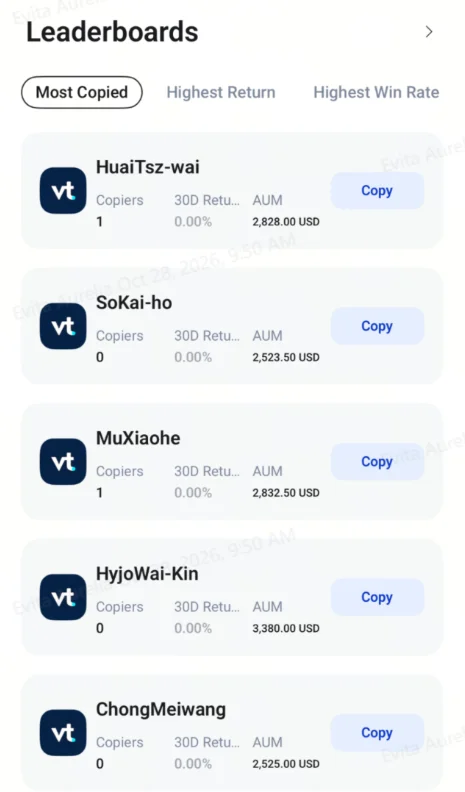
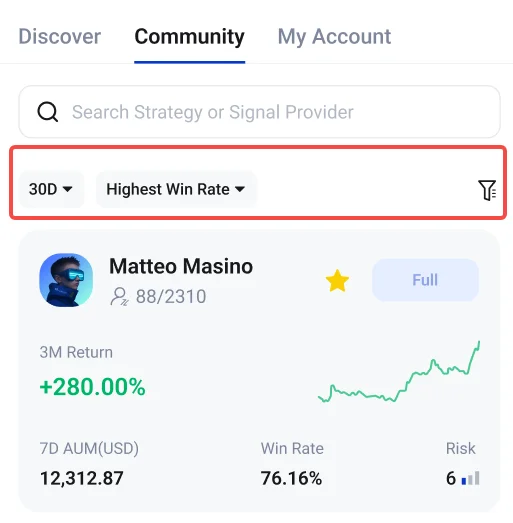
The Copy Leaderboard helps you discover Signal Providers through rankings such as Most Copied, Highest Return and Highest Win Rate. Select a provider to review their performance and portfolio details, then click Copy to start copying their strategy.
Favourites
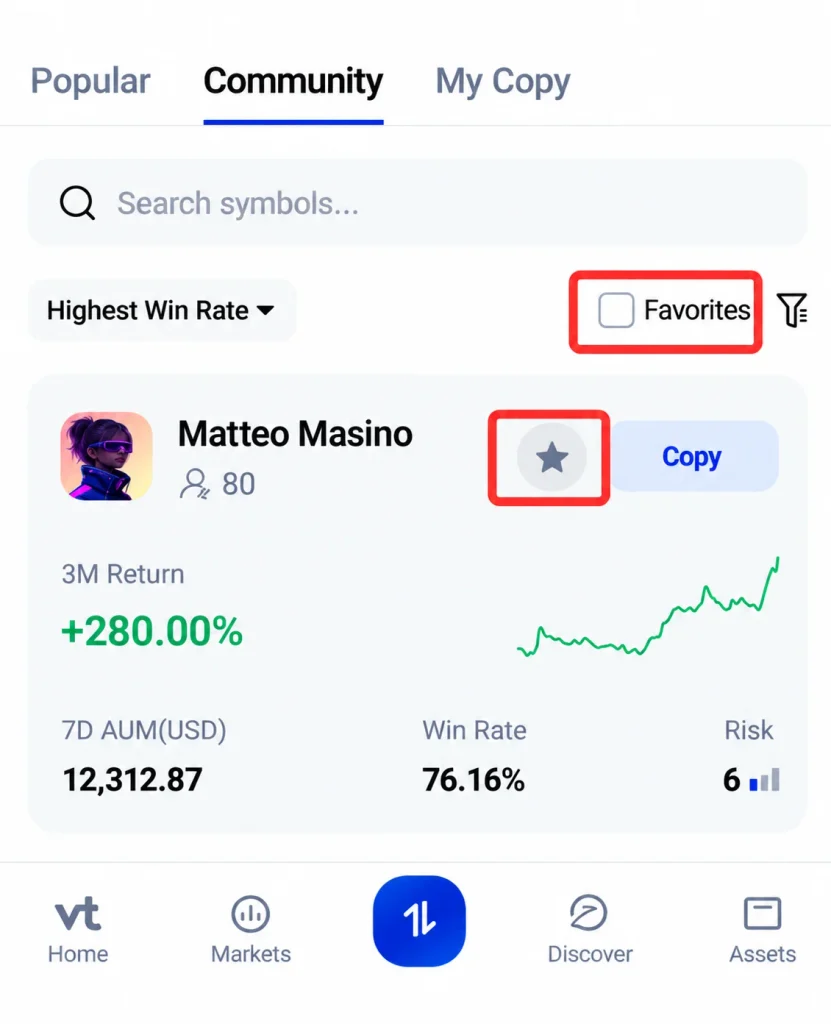
Save Signal Providers for easy access by selecting the star icon. You can then use the Favourites filter to find your saved providers.
Tourist Mode
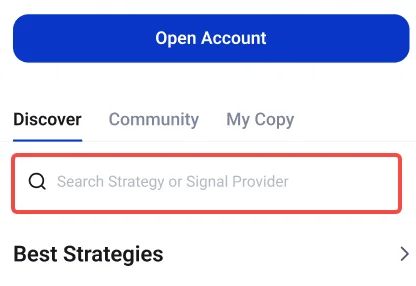
Tourist Mode lets you browse available Signal Providers and review their strategies without logging in, where the feature is supported. This allows you to explore available options before opening a Copy Trading account.
Note: An eligible Copy Trading account is required to start copying trades.
Margin Adjustment
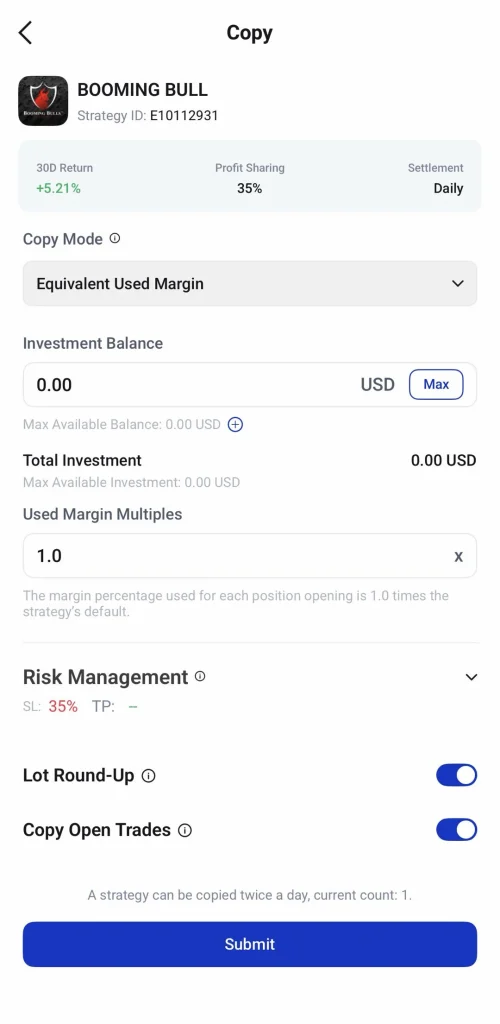
The Used Margin Multiples setting lets you adjust the margin used for copied positions from 0.1 to 50 times the strategy’s default margin. A lower multiple generally results in smaller positions relative to the Signal Provider, while a higher multiple generally results in larger positions.
Review the in-app guidance before changing this setting, as it can affect position sizes, margin usage and overall account exposure.
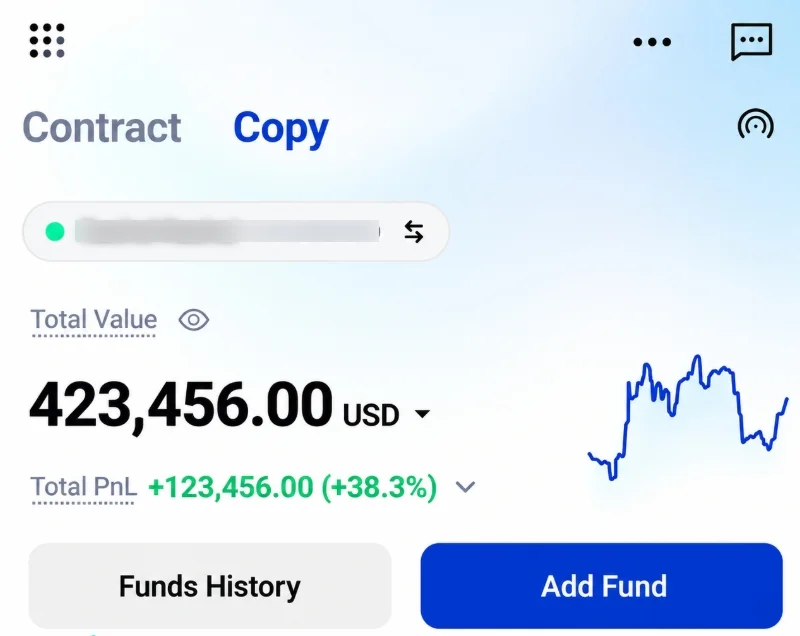
Account Equity and Total PnL
The account overview displays Equity and Total PnL to help you monitor your account value and profit or loss. Tap each field in the app to view its definition.
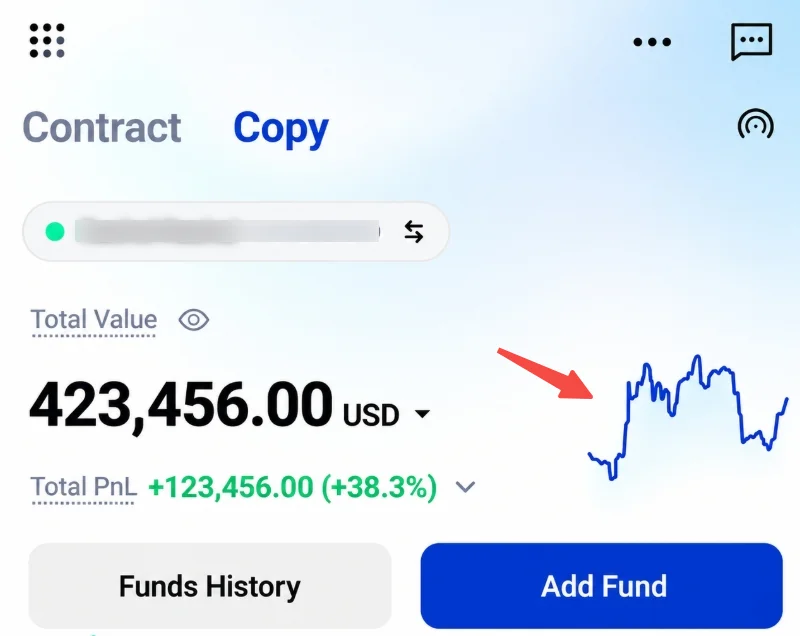
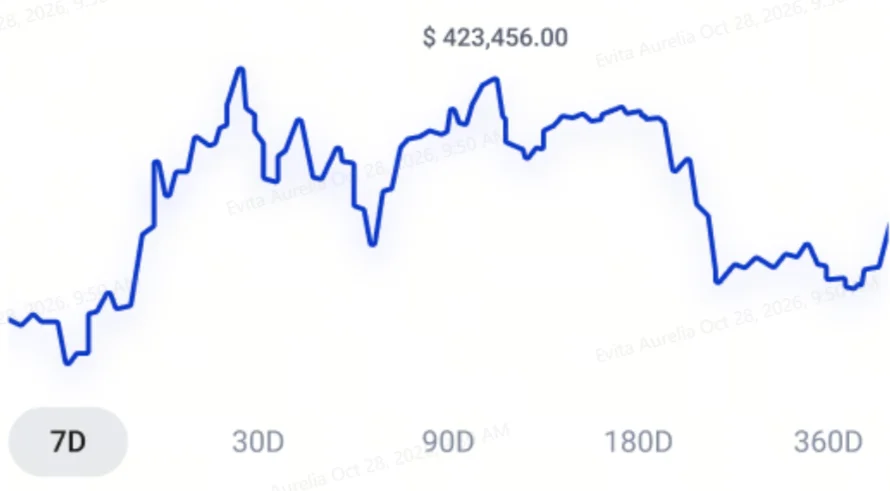
Asset Trend Chart
The Asset Trend Chart shows changes in your account over different periods: 7, 30, 90, 180 or 360 days. Select a period to view the corresponding trend.
Account Fund Breakdown
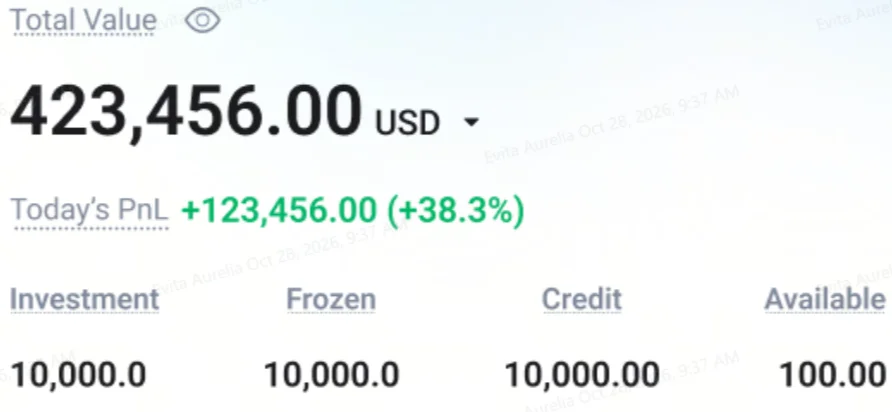
The account overview shows four fund categories:
- Investment: The amount allocated to copy trading.
- Frozen: Funds currently marked as frozen in the account.
- Credit: The credit amount displayed in the account.
- Available: Funds shown as available for use.
Tap each field in the app to view its definition.
How to Start Copy Trading in the VT Markets App
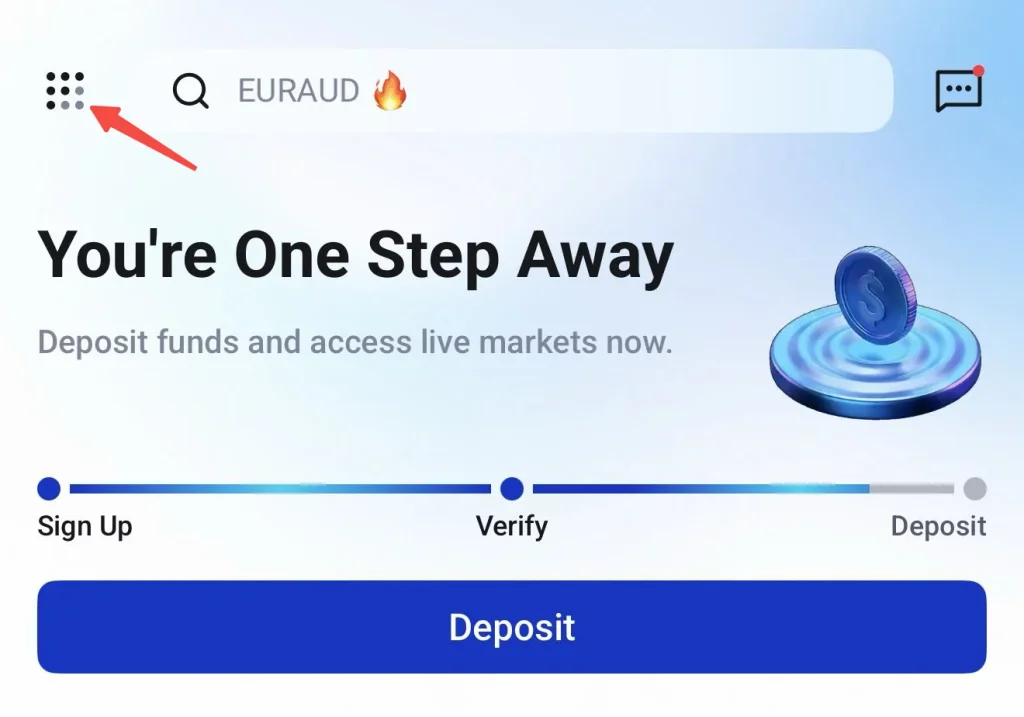
Step 1: Open the VT Markets App
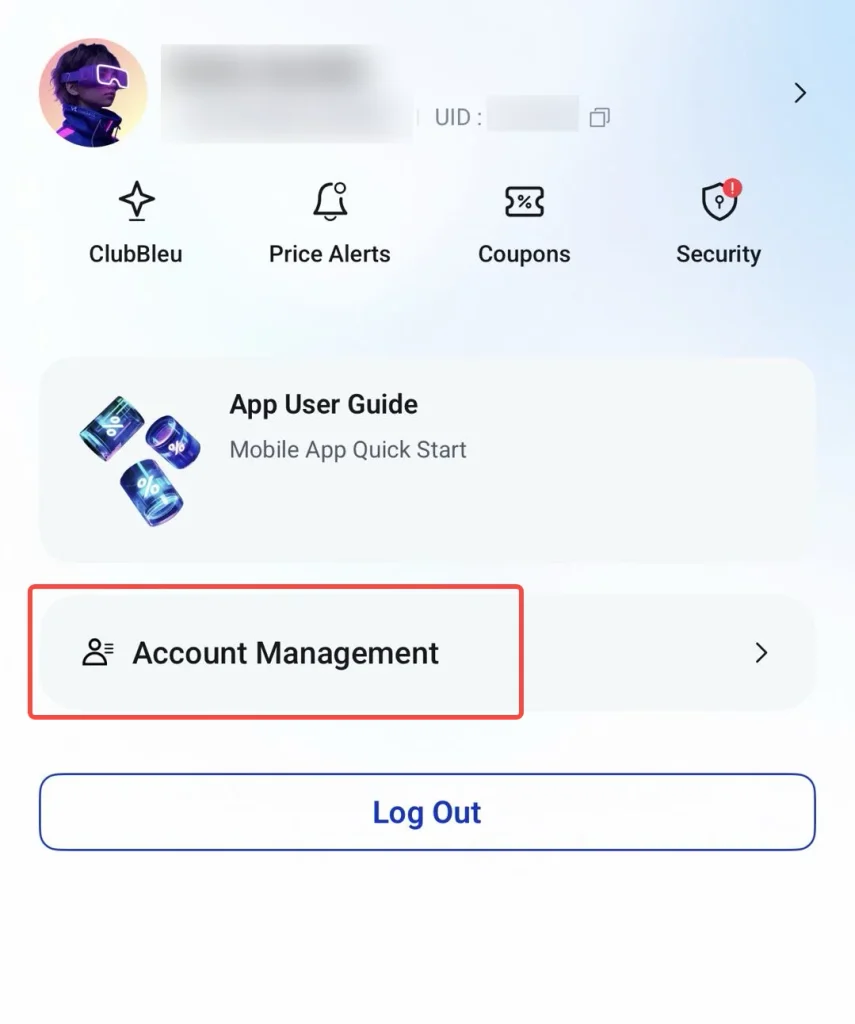
Log in to the VT Markets app and navigate to Settings → Account Management.
Step 2: Open a Copy Trading Account
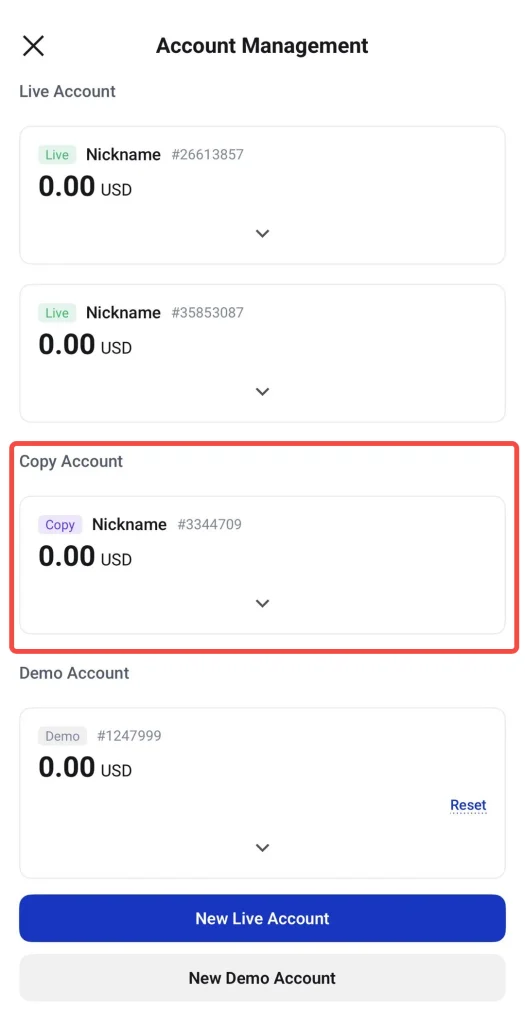
- If you do not have a Copy Trading account, create a new live account and select Copy Trading as the account type. For step-by-step instructions, read our guide: How to Download and Register an Account on VT Markets App
- If you already have a Copy Trading account, switch to it to continue.
Step 3: Explore Signal Providers
Browse the Copy Leaderboard to discover Signal Providers ranked by Most Copied, Highest Return and Highest Win Rate.
Step 4: Review a Signal Provider
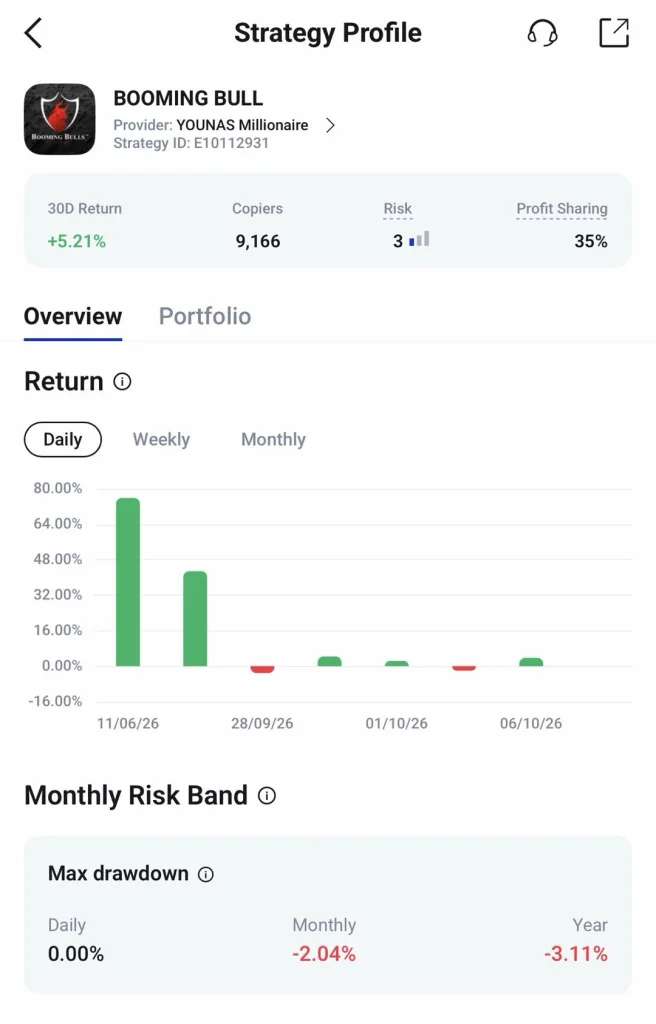
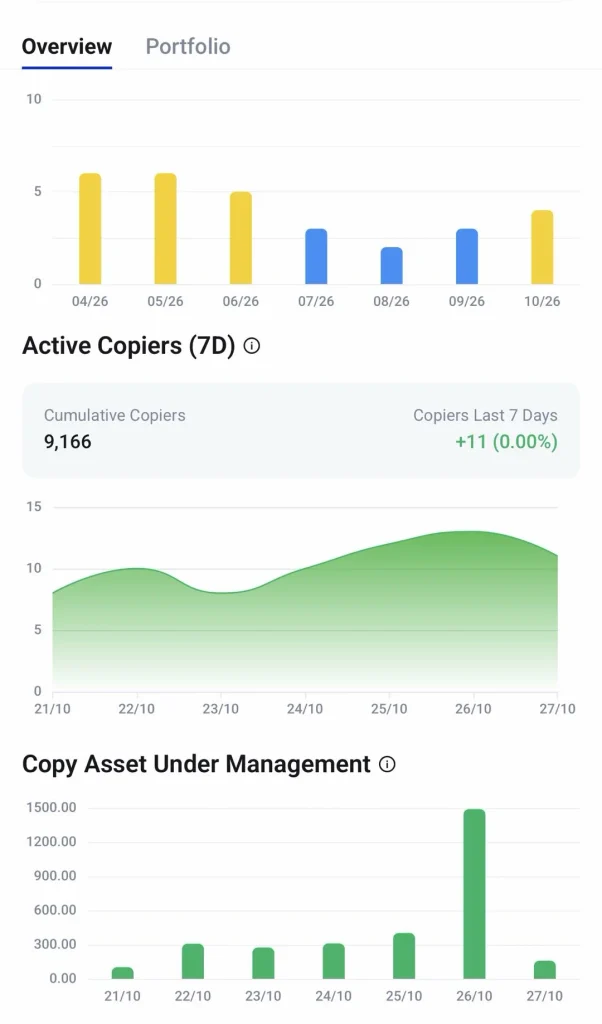
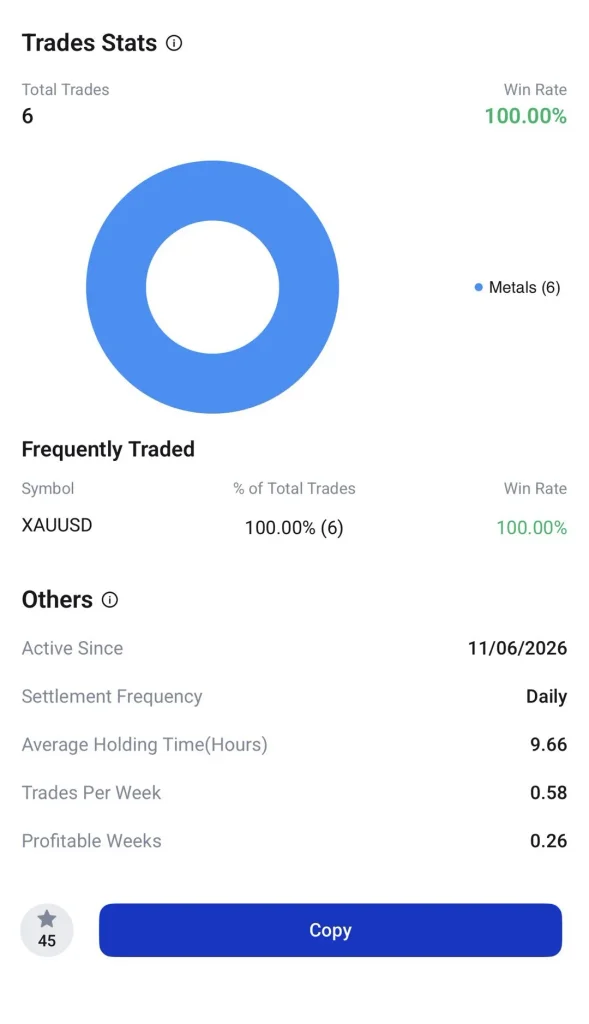
Select a provider to review their performance, trading history, portfolio and available risk indicators. Compare these details with your trading preferences and risk tolerance before deciding whether to copy their strategy.
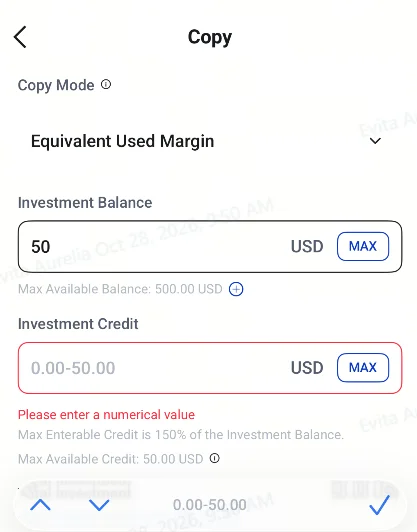
Step 5: Set Your Copying Preferences
Choose the amount to allocate and configure the available copy settings. Review the settings carefully to understand how copied position sizes are calculated before proceeding.
Step 6: Start Copying Trades
Once done, click Submit to proceed with copying the selected Signal Provider’s trades.
Step 7: Monitor Your Account
Review your account performance and copied positions regularly. Adjust your settings or stop copying when needed. Copy Trading carries a risk of loss, so regular monitoring remains important.
Want to learn more about copy trading? Read these guides:
- 5 Common Mistakes to Avoid When Copy Trading
- A Complete Beginner’s Guide to Copy Trading in 2026
- How to Choose the Right Strategy Provider
- How to Evaluate Copy Trading Providers: Key Metrics Every Trader Should Know
Take Your First Step into Copy Trading
Explore Signal Providers, review their performance and manage your copying preferences through the VT Markets app.
Start Copy Trading with VT Markets today
Frequently Asked Questions
What is VT Markets Copy Trading?
VT Markets Copy Trading allows eligible users to follow selected Signal Providers and automatically replicate their eligible trades in their own accounts. Users can review available provider information before deciding whom to follow.
How do I start Copy Trading in the VT Markets app?
Log in to the VT Markets app, access Account Management and open or switch to an eligible Copy Trading account. Browse the available Signal Providers, review their profiles, configure your copying settings and select Submit to proceed.
How do I choose a Signal Provider?
Compare available information such as historical performance, trading history, portfolio composition and risk indicators. Consider the provider’s trading approach and your own risk tolerance rather than relying on returns alone.
Can I adjust the settings for copied trades?
The app offers copying options, including Copy Mode and Used Margin Multiples, subject to availability. These settings affect how copied positions are calculated, so review the in-app guidance before making changes.
Can I stop copying a Signal Provider?
You can stop copying a provider, subject to the platform’s procedures and settings. Check how existing positions will be handled before stopping, as the copying relationship may end without automatically closing all open trades.
Is VT Markets Copy Trading suitable for beginners?
Copy Trading may help beginners explore different trading approaches without making every trading decision independently. However, it still involves market risk, and users should understand the available settings, review providers carefully and monitor their accounts.
Can I make a profit through Copy Trading?
Profit is not guaranteed. Results depend on factors such as market conditions, the provider’s strategy, trade execution and account settings. You could lose some or all of the capital allocated to Copy Trading.