


Key Takeaways:
- Walk-forward testing checks whether a trading strategy holds up on data it has never seen, not just the history it was tuned on.
- It splits your data into an in-sample window for optimisation and an out-of-sample window for validation, then rolls forward in time.
- The method’s main job is to expose overfitting and curve fitting before you risk real capital.
- Walk-forward efficiency turns your results into a single figure that gauges how well an in-sample edge survives live-like conditions.
Most traders learn the hard way. A strategy which looks perfect on past data can fall apart the moment it goes live. The reason is simple. A system tuned too tightly to history often memorises noise rather than genuine market behaviour.
Walk-forward testing is the discipline built to catch this problem early. It repeatedly optimises your rules on one slice of data. Then, this method tests them on a later, unseen slice.
This guide walks through a practical walk forward testing strategy step by step. As such, you can validate ideas with more confidence before committing capital.
Walk-Forward Testing Explained
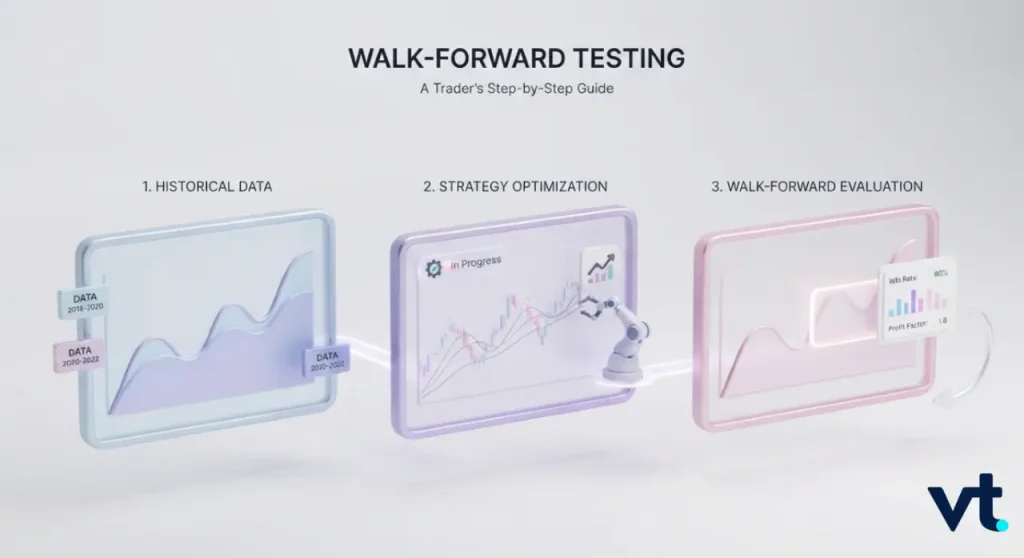
Walk-forward testing is a validation method that mimics how a strategy adapts over time. Instead of optimising once across all your history, you optimise in stages. Each stage is then tested on fresh data the model has not seen.
In-Sample And Out-Of-Sample Data
Every walk-forward test relies on two blocks of data. The in-sample data is the portion you use to find your best settings. The out-of-sample data is held back and used only to check those settings. Picture this like an exam.
- In-sample data is the practice paper you revise from.
- Out-of-sample data is the real exam you sit blind.
- A strategy that only shines in-sample has simply memorised the answers.
Good in-sample results mean little on their own. It is the out-of-sample performance that tells you whether the edge is real.
How The Optimisation Window Rolls Forward
The word walk-forward describes the motion of the test. You optimise on an early window of history, then step forward and test on the next block. Next, you shift the whole window along and repeat.
This rolling process produces a chain of out-of-sample results stitched together. That gives a more honest picture of how your rules would have coped as markets shifted, rather than one lucky fit to a single period.
The Problem Walk-Forward Testing Solves: Overfitting And Curve Fitting
The core purpose of walk-forward testing is to expose overfitting, sometimes called curve fitting. Overfitting happens when a strategy is tuned so precisely to past prices that it captures random noise instead of a repeatable pattern. The warning signs are easy to spot.
- Dozens of finely tuned parameters
- Spectacular backtest returns with almost no losing trades
- Performance that collapses the moment new data arrives
A curve-fitted strategy looks like a genius in the lab and a disaster in the market. Walk-forward testing forces your rules to prove themselves on data they were never optimised against.
How Walk-Forward Testing Works Step By Step
The mechanics of walk-forward testing are easier to follow as a repeating loop. Each loop has four stages. Once you understand one cycle, you understand the whole method, because every run repeats the same four steps further along the timeline.
1. Splitting The Data Into Optimisation And Test Segments
First, divide your historical data into segments. Each segment holds a larger optimisation block and a smaller test block.
- Roughly 70% to 80% of each window for in-sample optimisation
- The remaining 20% to 30% for out-of-sample testing
For example, you might optimise on 12 months of data, then test on the following 3 months. The right ratio depends on your strategy and how much data you have.
2. Optimising Parameters On The In-Sample Window
Next, run your parameter optimisation on the in-sample block only. The software tests combinations of your settings, such as moving-average lengths or stop distances, and keeps the strongest performers.
The goal is not the highest possible return. It is a stable, sensible set of parameters. Favour robust ranges over extreme settings that only win in one narrow window.
3. Validating On The Unseen Out-Of-Sample Window
Now apply those chosen settings to the out-of-sample block. You do not re-optimise here. You simply run the strategy forward as if trading live.
This step is the heart of the method. If the strategy is still performed on data it has never touched, you have real evidence of an edge. If it stumbles badly, the in-sample result was probably a mirage.
4. Rolling The Window Forward And Repeating
Finally, slide the entire window forward and repeat every step. Each new run optimises on fresh in-sample data and validates on the next unseen block. Here is a simple rolling example using a 12-month optimisation and a 3-month test.
| Run | In-Sample (Optimise) | Out-Of-Sample (Test) |
| Run 1 | Jan – Dec 2023 | Jan – Mar 2024 |
| Run 2 | Apr 2023 – Mar 2024 | Apr – Jun 2024 |
| Run 3 | Jul 2023 – Jun 2024 | Jul – Sep 2024 |
| Run 4 | Oct 2023 – Sep 2024 | Oct – Dec 2024 |
Stitching the four out-of-sample periods together gives you one continuous, unseen performance record.
Anchored And Rolling Walk-Forward Analysis
There are two main ways to move the window through time. Both are widely used in walk-forward testing. The right choice depends on how your strategy behaves as conditions evolve.
1. Anchored Walk-Forward With A Fixed Start Date
In an anchored walk-forward, the start date stays fixed. Only the end of the in-sample window moves forward, so the optimisation block keeps growing. This approach suits strategies that benefit from a long memory.
- It uses the maximum amount of history at every step.
- It assumes older data still holds useful information.
- It works well for slow, structural strategies.
The trade-off is that very old data can dilute the influence of recent, more relevant conditions.
2. Rolling Walk-Forward With A Moving Window
In a rolling walk-forward, the window is a fixed length that slides forward. Old data drops off the back as new data joins the front.
- It keeps the optimisation focused on recent conditions.
- It adapts faster to changing volatility and trends.
- It suits shorter-term and more reactive systems.
Since it forgets distant history, a rolling window responds quickly to regime change, though that can also make results noisier from run to run.
Choosing Between Anchored And Rolling For Your Strategy
Neither approach is universally better. The decision comes down to your strategy’s time horizon and how much you trust older data.
| Feature | Anchored Walk-Forward | Rolling Walk-Forward |
| Start date | Fixed | Moves forward |
| Data used | Grows each run | Constant length |
| Best for | Long-term, structural systems | Short-term, adaptive systems |
| Main risk | Stale data dilutes the signal | Forgets useful history |
Walk-Forward Efficiency And How To Read The Results
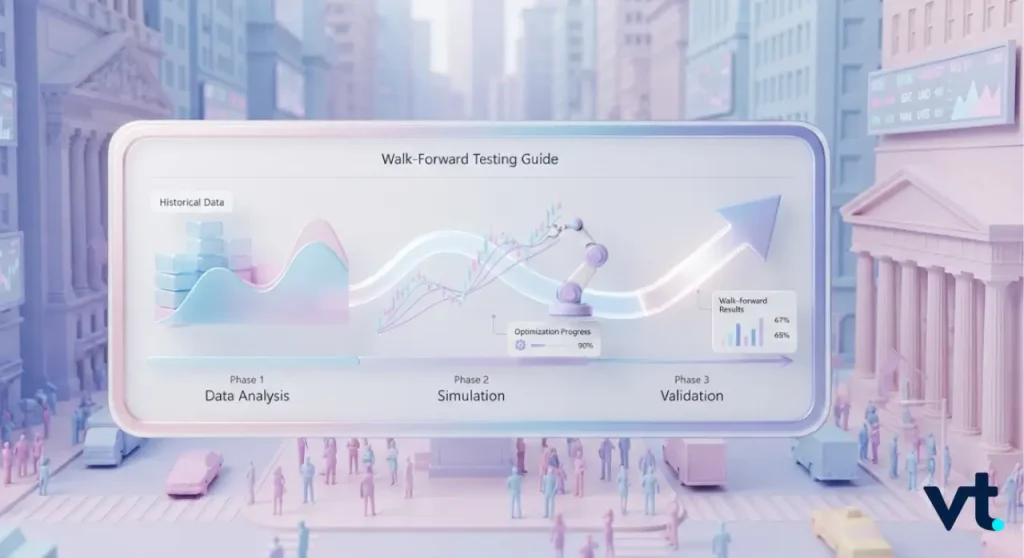
Once your runs are complete, you need a way to judge them. Walk-forward efficiency is the most common single measure. It turns a pile of results into one comparable figure you can track across strategies.
Calculating Walk-Forward Efficiency
Walk-forward efficiency compares out-of-sample performance with in-sample performance. The formula is straightforward:
Walk-forward efficiency = (Out-of-sample return ÷ In-sample return) × 100
For example, imagine these annualised returns:
- In-sample return: 40%
- Out-of-sample return: 24%
Walk-forward efficiency = (24 ÷ 40) × 100 = 60%
A result of 60% means your out-of-sample performance held roughly six-tenths of the in-sample result. The closer to 100%, the better the edge survived.
Combining Walk-Forward Results With Equity Curve And Drawdown Checks
There is no single number that can paint the full story. Always read walk-forward efficiency alongside other measures.
- The stitched equity curve, which should rise steadily rather than in one sharp burst.
- Maximum drawdown, to understand the worst peak-to-trough loss.
- The consistency of results across every run, not just the average.
A strategy with decent efficiency. Nevertheless, a brutal drawdown may still be untradeable. Hence, smooth, consistent behaviour is more crucial than one headline figure.
How To Set Up A Walk-Forward Test
Setting up a walk-forward test is mostly about sensible choices before you press run. Knowing how to do walk forward optimization well comes down to three decisions. These include your window lengths, your number of runs, and your platform.
1. Choosing In-Sample And Out-Of-Sample Period Lengths
Your window lengths should reflect how often your strategy trades. A system that trades daily needs less data per window than one that trades a few times a month. Sensible starting points include:
- A ratio of roughly 3:1 or 4:1, in-sample to out-of-sample.
- Enough out-of-sample data to contain many trades, not a handful.
- Windows long enough to cover different market conditions.
2. Deciding How Many Walk-Forward Runs To Use
More runs give you more out-of-sample evidence, which is generally a good thing. Aim for enough runs to see how your strategy behaves across varied conditions:
- Use at least 8 to 10 runs where the data allows.
- Ensure each out-of-sample block holds a meaningful number of trades.
- Cover both trending and ranging markets across the full test.
3. Running Walk-Forward Optimisation In MT5, Python And Amibroker
You do not need to build everything by hand. Several tools support walk-forward optimisation directly:
- MetaTrader 5 (MT5) includes a built-in Strategy Tester with a native walk-forward mode for Expert Advisors.
- MetaTrader 4 (MT4) can run staged optimisation, though it needs more manual window management.
- Python libraries let you script fully custom walk-forward loops.
- Amibroker offers a dedicated walk-forward feature with automatic window rolling.
If you trade with a broker such as VT Markets, you can test algorithmic trading systems on both MT4 and MT5 before going live.
Walk-Forward Testing Compared With Related Methods
It helps to see where walk-forward testing sits among other validation methods. Each approach checks a strategy differently, and knowing the differences makes your testing more deliberate.
1. Walk-Forward Versus Standard Backtesting
So what is the difference between backtest and walk forward test? A standard backtest optimises and tests on the same block of history, which makes overfitting easy to hide. Walk-forward testing separates the two, always validating unseen data.
- A backtest asks how these settings would have performed in this history.
- Walk-forward testing asks how they would have performed on data they were never tuned on.
The second question is far closer to live trading, which is why walk-forward results are more trustworthy.
2. Walk-Forward Versus Cross-Validation
Cross-validation is common in machine learning. It splits data into many folds and rotates which fold is held out for testing. The key difference is time.
- Cross-validation often shuffles data, ignoring chronological order.
- Walk-forward testing always respects the sequence of time.
For markets, sequence matters enormously. Using rules built from the future to test the past makes no sense. Therefore, walk-forward testing is usually the more realistic choice.
3. Walk-Forward Versus A Single Out-Of-Sample Test
A single out-of-sample test holds back just one block of recent data. It is better than nothing, but it only checks one period. Walk-forward testing improves on this in three ways:
- It tests across many out-of-sample blocks.
- It covers several different market environments.
- It reduces the chance that one lucky period flatters your results.
More out-of-sample windows mean more evidence, and more evidence means fewer nasty surprises later.
Reliability, Limitations And Common Mistakes
Walk-forward testing is powerful, but it is not a fortune teller. Knowing its limits keeps your expectations realistic when you move from testing to live capital.
What Walk-Forward Testing Can And Cannot Confirm
Walk-forward testing can confirm that a strategy’s logic held up on unseen historical data. That is genuinely valuable. What it cannot do is guarantee future profits.
- Past data, even unseen, is still past data.
- Markets can shift into conditions never present in your history.
- Costs such as slippage and spread can erode paper results.
Treat a strong walk-forward result as encouraging evidence, not a promise.
Common Mistakes When Setting Windows And Interpreting Results
Most walk-forward errors come from poor setup or wishful reading of the numbers. Avoid the traps that quietly ruin otherwise sound tests.
- Using windows so short they contain too few trades.
- Re-optimising after seeing out-of-sample results, which defeats the purpose.
- Ignoring trading costs during the test.
- Judging a strategy on average returns while ignoring drawdown and consistency.
- Cherry-picking the one run that happens to look best.
Honest walk-forward testing means accepting the results even when they disappoint.
Frequently Asked Questions (FAQs)
Q1: What Is Walk-Forward Testing?
Walk-forward testing is a validation method. It optimises a trading strategy on one block of historical data, then tests it on a later, unseen block. This process repeats as the window rolls forward, giving a more realistic view of how a strategy might perform in live conditions.
Q2: What Is The Difference Between Anchored And Rolling Walk-Forward Analysis?
In an anchored walk-forward, the start date stays fixed and the optimisation window keeps growing. In a rolling walk-forward, the window is a fixed length that slides forward, dropping old data as new data joins. Anchored suits long-term systems, while rolling adapts faster to recent conditions.
Q3: How Do You Choose In-Sample And Out-Of-Sample Periods?
Match your window lengths to how often your strategy trades. A common starting point is a 3:1 or 4:1 ratio of in-sample to out-of-sample data. Each out-of-sample block should hold enough trades to be meaningful.
Q4: What Is The Difference Between Walk-Forward Testing And Backtesting?
A standard backtest optimises and tests on the same data, which makes overfitting easy to miss. Walk-forward testing always validates on data the strategy was never tuned on. This separation makes walk-forward results a much closer match to live trading than a simple backtest.
Practice Walk-Forward Testing With VT Markets
A strong strategy is only worth trading once it has survived data it never saw. That is exactly what walk-forward testing is for. It replaces hope with evidence, and it turns a good-looking backtest into something you can trust with real capital.
The traders who last are the ones who test with discipline. They validate on unseen data, respect the method’s limits, and never confuse a tidy backtest for a guarantee. Build that habit now, and every future strategy benefits.
With VT Markets, you can put your walk forward testing strategy to work on both MetaTrader 4 (MT4) and MetaTrader 5 (MT5), with real market conditions, fast execution, and the tools to trade with confidence.
Create a live VT Markets account today to access our platform features, including market insights and educational content.