


Key Takeaways
- MetaTrader 5 offers superior multi-asset trading capabilities compared to MT4, supporting stocks, indices, commodities, and forex in one powerful platform
- The platform features advanced charts, 38 built-in technical indicators, and supports automated trading strategies through Expert Advisors
- MT5 provides better performance with multi-threaded processing, faster execution, and enhanced risk management tools
- Download options include desktop, mobile (Android/iPhone), and web-based versions with no additional cost
- The platform’s economic calendar, depth of market, and advanced pending orders make it ideal for both beginners and professional traders
The Trading Revolution That’s Changing Everything
The world of trading has evolved dramatically, and MetaTrader 5 stands at the forefront of this revolution. As traders seek more sophisticated tools to navigate today’s complex markets, the question isn’t whether you need a robust trading platform. It’s which one will give you the competitive edge you deserve.
With over 15 million active traders worldwide using MetaTrader platforms in 2025, the choice between trading solutions has never been more critical. This comprehensive guide will show you everything you need to know about MetaTrader 5 download, features, and why it might be the best trading platform for your needs.
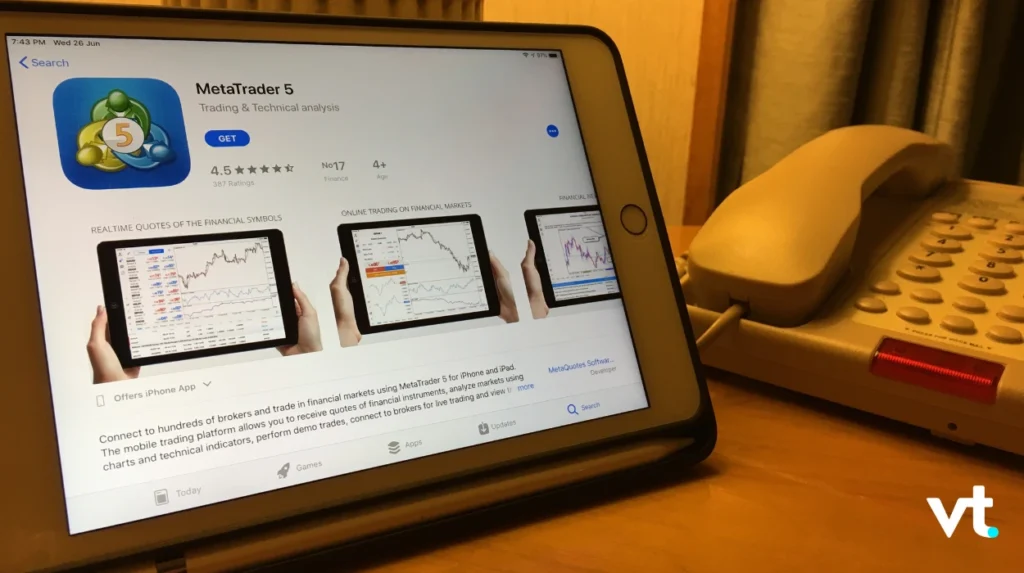
What is MetaTrader 5? Understanding the Platform Revolution
MetaTrader 5 (MT5) is a multi-asset platform that revolutionises how traders access global markets. Unlike its predecessor, this powerful platform supports trading across forex, stocks, indices, commodities, and CFDs—all from a single interface.
Core Features That Set MT5 Apart
The platform’s architecture is built on a multi-threaded system that delivers better performance and faster execution speeds. Key features include:
- 38 built-in technical indicators for comprehensive market analysis
- 21 timeframes ranging from 1-minute to 1-month charts
- Advanced charts with unlimited chart windows
- Economic calendar integration for fundamental analysis
- Depth of market (DOM) for enhanced transparency
Multi-Asset Trading Capabilities
One of MT5’s most significant advantages is its multi asset platform functionality. Traders can access:
| Asset Class | Available Instruments | Key Benefits |
|---|---|---|
| Forex | 50+ currency pairs | Tight spreads, high liquidity |
| Stocks | 1000+ global equities | Direct market access |
| Indices | Major world indices | Diversification opportunities |
| Commodities | Gold, silver, oil, metals | Inflation hedge potential |
| CFDs | Contract for difference on various assets | Leverage trading options |
MetaTrader 5 Download: Your Complete Installation Guide
Getting started with MetaTrader 5 is straightforward, but knowing the best download approach can save time and ensure optimal performance.
Desktop Version Download Process
The desktop version offers the most comprehensive trading experience:
- Visit the official MetaTrader 5 website
- Select your operating system (Windows/Mac/Linux)
- Run the installation file (approximately 15MB download)
- Complete the setup wizard (takes 2-3 minutes)
- Connect to your broker’s server
Installation Requirements:
- Operating System: Windows 7 or higher, macOS 10.12+
- RAM: Minimum 1GB (4GB recommended for better performance)
- Storage: 1GB available space
- Internet: Stable broadband connection
Mobile App Download Options
For trading on the go, mobile versions are available:
Android Users:
- Download from Google Play Store
- Compatible with Android 4.0 and above
- Full trading functionality included
iPhone Users:
- Available on Apple App Store
- Requires iOS 9.0 or later
- Optimised for all iPhone models
Web-Based Platform Access
No download required for the web version:
- Access through any browser (Chrome, Firefox, Safari, Edge)
- No additional cost for web access
- Instant trading without installation
- Compatible with all operating systems
MetaTrader 4 vs 5: The Ultimate Comparison
Understanding the difference between these platforms is crucial for making the right choice for your trading strategy.
Technical Capabilities Comparison
| Feature | MetaTrader 4 | MetaTrader 5 |
|---|---|---|
| Asset Classes | Forex, CFDs | Forex, Stocks, Indices, Commodities, CFDs |
| Timeframes | 9 timeframes | 21 timeframes |
| Technical Indicators | 30 built-in | 38 built-in |
| Pending Orders | 4 types | 6 types |
| Order Execution | Basic | Advanced with market depth |
| Programming Language | MQL4 | MQL5 (more powerful) |
| Multi-threading | No | Yes |
| Economic Calendar | External | Integrated |
Performance and Speed Differences
MetaTrader 5 delivers superior performance through:
- Multi-threaded processing for faster calculations
- Optimised algorithms reducing latency
- Enhanced memory management for better stability
- Faster backtesting of trading strategies (up to 70% improvement)
Trading Strategy Implementation
MT5 offers more sophisticated options for implementing trading strategies:
- More pending order types for complex strategies
- Better risk management tools with partial position closure
- Advanced position management with netting and hedging options
- Improved Expert Advisors with enhanced functionality
Advanced Trading Features: Unlocking MT5’s Full Potential
Expert Advisors and Automated Trading
MetaTrader 5’s Expert Advisors (EAs) represent a significant advancement in automated trading strategies:
Key EA Capabilities:
- Multi-symbol trading across different assets simultaneously
- Advanced debugging tools for strategy development
- Built-in strategy tester with visual mode
- Cloud-based optimisation for faster backtesting
- MQL5 marketplace access to thousands of ready-made EAs
Popular EA Categories:
- Scalping strategies for short-term gains
- Trend-following systems for momentum trading
- Grid trading for range-bound markets
- News trading EAs for fundamental events
Custom Indicators and Technical Analysis
The platform’s flexibility extends to custom indicators development:
- MQL5 programming language for creating bespoke tools
- 38 built-in indicators covering all major technical analysis needs
- Custom timeframes beyond standard options
- Multi-symbol indicators for correlation analysis
Risk Management Tools
Professional risk management features include:
- Position sizing calculators built into the platform
- Stop-loss and take-profit orders with trailing options
- Risk/reward ratio analysis tools
- Portfolio risk assessment across multiple positions
- Margin requirements real-time calculations
Market Access and Trading Instruments
Forex Trading Capabilities
MetaTrader 5 excels in forex trading with:
- 50+ currency pairs including majors, minors, and exotics
- Variable spreads starting from 0.1 pips
- High liquidity access to tier-1 liquidity providers
- Swap-free accounts available for Islamic trading
- Micro lot trading for risk-conscious traders
Stock and CFD Trading
The platform’s stock trading features include:
- Direct market access to major exchanges
- Real-time quotes and level II data
- CFD stocks trading without owning underlying assets
- Dividend adjustments for long-term positions
- Corporate actions handling automatically
Commodities and Metals Trading
Access to commodity markets through:
- Precious metals (gold, silver, platinum, palladium)
- Energy commodities (crude oil, natural gas)
- Agricultural products (wheat, corn, soybeans)
- Base metals (copper, aluminium, zinc)
Platform Comparison: Finding the Best Trading Platform
Why MT5 Stands Out Among Competitors
When evaluating the best trading platform options, several factors make MetaTrader 5 the ideal choice for many traders:
Advantages over other platforms:
- No licensing fees for end users
- Extensive broker support worldwide
- Large community of developers and traders
- Proven track record with millions of users
- Regular updates and security patches
Platform Accessibility Options
MetaTrader 5 offers multiple access methods to suit different trading styles:
| Access Method | Best For | Key Features |
|---|---|---|
| Desktop | Professional traders | Full functionality, multiple monitors |
| Mobile | Active traders | Real-time trading, push notifications |
| Web | Casual traders | No download required, browser-based |
| VPS | Algorithmic traders | 24/7 operation, low latency |
Integration with Broker Services
The platform’s compatibility with broker services includes:
- Multiple account types support
- Various deposit methods integration
- Customer support through platform messaging
- Trading contests and promotional features
- Social trading capabilities through MQL5 community
Getting Started: Your First Steps with MT5
Account Setup and Configuration
Setting up your MetaTrader 5 account involves:
- Choose a regulated broker offering MT5 access
- Complete account verification process
- Make initial deposit (minimum requirements vary)
- Download and install the platform
- Connect to your broker’s server
- Customize workspace according to preferences
Initial Platform Configuration
Optimising your trading environment:
- Set up multiple charts for different timeframes
- Configure alerts for price movements
- Install preferred indicators and tools
- Test order execution with small positions
- Review account settings and trading parameters
Demo vs Live Trading
Before committing capital, consider:
- Demo account benefits for learning without risk
- Live account advantages for real market conditions
- Transition strategies from demo to live trading
- Paper trading for strategy validation
Advanced Trading Strategies and Tools
Economic Calendar Integration
The built-in economic calendar provides:
- Real-time economic events affecting markets
- Impact levels (low, medium, high) for each event
- Historical data for trend analysis
- Filtering options by country and currency
- Push notifications for important releases
Market Depth and Order Book Analysis
Understanding market depth helps with:
- Order flow analysis for better entry/exit points
- Liquidity assessment before large trades
- Price level identification for support/resistance
- Market maker activity observation
- Slippage prediction for order execution
Advanced Order Types
MetaTrader 5 supports six types of pending orders:
| Order Type | Description | Best Use Case |
|---|---|---|
| Buy Limit | Purchase below market price | Support level entries |
| Sell Limit | Sell above market price | Resistance level exits |
| Buy Stop | Purchase above market price | Breakout trading |
| Sell Stop | Sell below market price | Breakdown trading |
| Buy Stop Limit | Two-stage buy order | Controlled breakout entries |
| Sell Stop Limit | Two-stage sell order | Controlled breakdown entries |
Performance Optimization and Tips
System Requirements for Optimal Performance
To ensure the best MetaTrader experience:
- Minimum 4GB RAM (8GB+ recommended)
- SSD storage for faster data access
- Stable internet connection (minimum 1 Mbps)
- Updated graphics drivers for smooth charting
- Multiple monitors for enhanced productivity
Network and Connectivity Optimization
Improving connection quality:
- Choose nearest server location to reduce latency
- Use VPS hosting for algorithmic trading
- Monitor connection quality through platform tools
- Configure firewall settings appropriately
- Test different internet providers if available
Data Management and Backup
Protecting your trading setup:
- Regular backup of custom indicators and EAs
- Export trading history periodically
- Save workspace templates for quick setup
- Document trading strategies and settings
- Maintain version control for custom code
Security and Safety Considerations
Platform Security Features
MetaTrader 5 incorporates robust security measures:
- 128-bit encryption for all data transmission
- Digital certificates for server authentication
- Automatic updates for security patches
- Session monitoring and suspicious activity detection
- Two-factor authentication support where available
Best Practices for Safe Trading
Protecting your capital and personal information:
- Use strong passwords with regular updates
- Enable two-factor authentication when possible
- Avoid public Wi-Fi for trading activities
- Verify broker regulation before depositing funds
- Keep platform updated to latest version
- Monitor account activity regularly
Troubleshooting Common Issues
Connection and Login Problems
Common solutions for access issues:
- Check internet connection stability
- Verify server settings with your broker
- Update platform to latest version
- Clear cache and restart the application
- Contact broker support for server-specific issues
Performance and Speed Issues
Resolving slow platform performance:
- Close unnecessary charts and applications
- Reduce indicator complexity on active charts
- Increase RAM allocation if possible
- Switch to faster timeframes temporarily
- Consider VPS solution for consistent performance
Frequently Asked Questions
Q1: Is MetaTrader 5 free to download and use?
Yes, MetaTrader 5 download is completely free with no additional cost to traders. The platform is provided at no charge, though you’ll need to open an account with a broker that supports MT5 to start trading with real money.
Q2: Can I run MetaTrader 5 on multiple devices simultaneously?
Absolutely! You can log into your account from desktop, mobile, and web versions simultaneously. This flexibility allows you to manage your positions and monitor markets from anywhere, making it suitable for traders with busy schedules.
Q3: What’s the main difference between MetaTrader 4 and 5 for new traders?
The primary difference is that MT5 is a multi-asset platform supporting stocks, indices, commodities, and forex, while MT4 focuses mainly on forex and CFDs. MT5 also offers more timeframes, better performance, and advanced features that make it the better choice for comprehensive trading.
Q4: How do I choose between desktop, mobile, and web versions?
Your choice depends on your trading style. Desktop offers full functionality and is ideal for professional traders who need advanced charts and multiple monitors. Mobile is perfect for active traders who need real-time access on the go. The web version is suitable for casual traders who prefer browser-based access without installation requirements.
Making Your Choice
MetaTrader 5 represents the future of retail trading platforms, offering unparalleled access to global markets through a single, powerful interface. Whether you’re a beginner learning to trade or an experienced trader seeking better performance and more sophisticated tools, MT5 provides the features and flexibility needed to succeed.
The platform’s combination of advanced technical indicators, automated trading capabilities, multi-asset support, and robust risk management tools make it the best choice for traders serious about their craft. With free download options across desktop, mobile, and web platforms, there’s no barrier to getting started.
For Canadian traders looking to gain an edge in today’s competitive markets, MetaTrader 5 offers the perfect blend of accessibility, power, and professional-grade features. The platform’s proven track record, combined with continuous development and a thriving community, ensures it will remain at the forefront of trading technology.
Take control of your trading journey today by downloading MetaTrader 5 and discovering why millions of traders worldwide choose this powerful platform to access the markets and accelerate their success.