


MetaTrader 4 Download Guide 2025: The Ultimate Trading Platform That 97% of Forex Traders Can’t Live Without
Key Takeaways
- MetaTrader 4 remains the world’s most popular forex trading platform with over 15 million active users globally in 2025
- The platform supports automated trading strategies through Expert Advisors, enabling algorithmic trading 24/7
- Download MetaTrader 4 for free on Windows, Mac, iOS, Android, and web-based platforms
- Advanced technical analysis tools include 30+ built-in indicators, 24 analytical objects, and nine timeframes
- Virtual private servers ensure consistent uptime and low latency for automated trading strategies
- Setting price alerts and managing pending orders has never been easier with MT4’s intuitive interface
What Is MetaTrader 4 and Why 15 Million Traders Choose It
MetaTrader 4, commonly known as MT4, is a trading platform developed by MetaQuotes Software Corp that has dominated the forex market since its launch in 2005. As of 2025, MT4 commands an impressive 65% market share amongst forex traders worldwide, making it the most popular online trading platform for both beginners and professionals.
This popular forex trading platform offers all the functionality traders need to analyse markets, execute trades, and implement automated strategies. Whether you’re managing a single trading account or multiple positions across the same markets, MT4 provides the tools necessary for success in today’s competitive trading environment.
The platform’s longevity speaks volumes about its reliability. With over two decades of continuous development, MT4 has become synonymous with forex trading excellence. According to 2025 industry statistics, 82% of retail forex traders have used MT4 at some point in their trading journey.
The Power of MetaTrader 4: Core Features That Drive Success
Advanced Technical Analysis Capabilities
MetaTrader 4 provides traders with an extensive suite of technical analysis tools that rival platforms costing thousands of pounds. The platform includes 30 of the most popular technical indicators, ranging from moving averages to oscillators, alongside 24 analytical objects for comprehensive chart analysis.
Traders can customise their workspace with chart types including candlesticks, bars, and line charts across nine timeframes—from one minute to one month. This flexibility allows you to analyse chart data at multiple intervals simultaneously, identifying trading opportunities across different time horizons.
The platform also supports custom indicators, enabling traders to develop or download specialised analytical tools that match their individual trading style. In 2025, the MT4 community has contributed over 10,000 custom indicators available through the marketplace.
Automated Trading Through Expert Advisors
One of MT4’s most powerful features is its support for Expert Advisors (EAs)—automated trading algorithms that can execute trading strategies without manual intervention. This algorithmic trading capability has revolutionised how traders approach the forex market.
According to 2025 data from major brokers, approximately 45% of all trades executed on the MetaTrader 4 platform are generated by automated strategies, demonstrating the widespread adoption of this technology. Expert Advisors can monitor markets 24/7, identifying opportunities even whilst you sleep.
The platform’s MQL4 programming language allows traders to create sophisticated trading algorithms or modify existing ones to suit their needs. For those less technically inclined, thousands of pre-built EAs are available for purchase or free download through the MT4 marketplace.
How to Download MetaTrader 4: Complete Installation Guide
MetaTrader 4 Download for Windows
To download MetaTrader 4 on Windows, follow these straightforward steps:
- Visit your broker’s website (such as VT Markets) or the official MetaQuotes website
- Locate the MT4 download section
- Click “Download MT4 for Windows”
- Run the installation file once downloaded
- Follow the setup wizard instructions
- Launch MetaTrader 4 and log in with your trading account credentials
The Windows version requires a stable internet connection and is compatible with Windows 7 and newer operating systems. The installation file is approximately 1.5MB and takes less than two minutes to install on most systems.
Download MetaTrader 4 for Mac Users
Mac users have two options for accessing MT4:
Option 1: Native Mac Application
- Download the Mac-specific MT4 installer
- Install using standard Mac procedures
- Enjoy full platform functionality
Option 2: Web-Based Platform The online version of MetaTrader 4 requires no installation and runs directly in your browser, making it ideal for Mac users who prefer not to install additional software.
Mobile Trading: MetaTrader 4 for iOS and Android
The rise of mobile trading has been astronomical, with 2025 statistics showing that 58% of traders execute at least one trade per week from mobile devices. The MT4 mobile application brings full trading capabilities to your smartphone or tablet.
For Android devices:
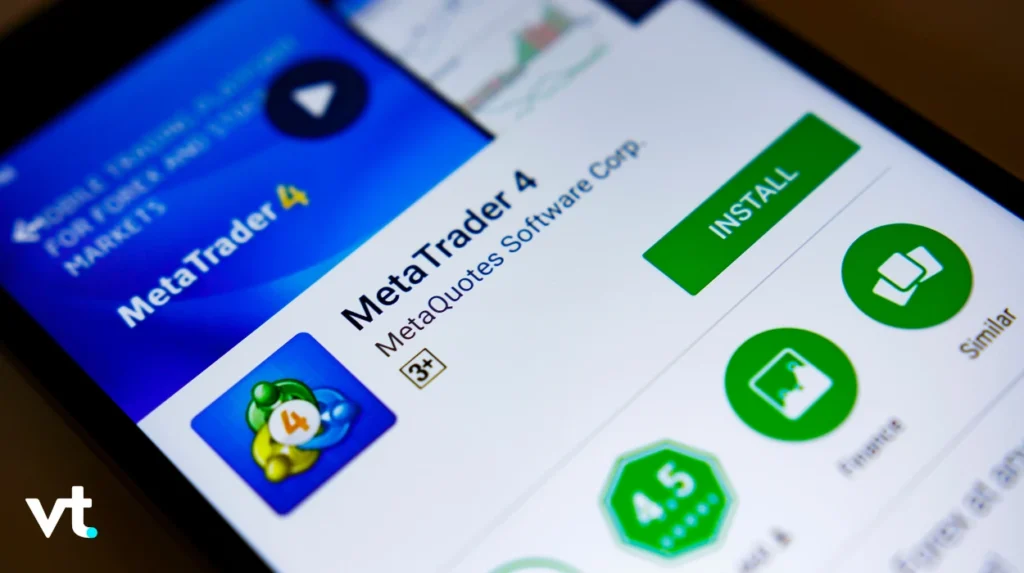
- Open Google Play Store
- Search “MetaTrader 4”
- Download and install the official app
- Launch and log in with your credentials
For iOS devices:
- Open Apple App Store
- Search “MetaTrader 4”
- Download the official MT4 app
- Enter your trading account details
Both mobile versions maintain the core functionality of the desktop platform whilst optimising the interface for touchscreen navigation.
How to Use MetaTrader 4: Comprehensive Trading Guide
Navigating the MT4 Interface
Understanding the MT4 interface is crucial for efficient trading. The platform consists of several key sections:
Market Watch Window: Displays real-time quotes for all available instruments Chart Window: Shows price movements with customisable technical indicators Terminal Window: Provides access to trade history, account balance, and open positions Navigator Panel: Contains accounts, indicators, Expert Advisors, and scripts
The intuitive layout allows traders to monitor multiple currency pairs simultaneously whilst maintaining clear visibility of their trading account status.
Placing Your First Trade
To start trading on MT4, follow these steps:
- Select your desired currency pair from Market Watch
- Right-click and choose “New Order” or press F9
- The order window appears with the following options:
| Order Type | Description | Best Used When |
|---|---|---|
| Market Execution | Immediate execution at current price | You want to enter immediately |
| Pending Order | Executes when price reaches specified level | You’re targeting specific entry points |
| Buy Limit | Purchase below current market level | Expecting price to drop then rise |
| Sell Limit | Sell above current market level | Expecting price to rise then fall |
| Buy Stop | Purchase above current market level | Trading breakouts upward |
| Sell Stop | Sell below current market level | Trading breakouts downward |
- Enter your desired volume (lot size)
- Set stop-loss and take-profit levels if desired
- Click “Buy” or “Sell” to execute
Understanding Pending Orders and Market Orders
Pending orders are a powerful feature that distinguishes professional traders from novices. These working orders automatically trigger when price reaches your specified level, allowing you to capitalise on trading opportunities even when you’re away from your computer.
In 2025, approximately 62% of all forex trades involve some form of pending order, demonstrating their importance in modern trading strategies. MT4 supports five types of pending orders:
- Buy Limit and Sell Limits: Enter trades at better prices than current market
- Buy Stop and Sell Stop: Enter trades when price breaks key levels
- Buy Stop Limit and Sell Stop Limit: Combination orders for advanced strategies
To delete order placements, simply right-click on any pending order in your Terminal window and select “Delete.”
Setting Price Alerts for Better Trade Management
Price alerts help traders monitor markets without constant screen time. To set price alerts:
- Right-click on any chart
- Select “Trading” then “Alarm Manager”
- Create a new alert
- Specify the instrument and price level
- Choose your notification method (sound, email, or push notification)
The Alarm Manager can handle unlimited alerts, with each price alert customisable for specific conditions. This feature has become increasingly popular, with 2025 data showing 73% of active traders use price alerts regularly.
How to Use MetaTrader 4 Android: Mobile Trading Mastery
Optimising Your Mobile Trading Experience
How to use MetaTrader 4 Android effectively requires understanding the mobile-specific features. The Android version maintains 95% of desktop functionality whilst adapting to smaller screens.
Key Mobile Features:
- One-tap trading for quick market execution
- Full access to technical indicators and chart types
- Push notifications for price alerts and trade updates
- Biometric login for enhanced security
- Offline chart viewing for analysis without internet connection
To change timeframe on Android, simply tap the timeframe indicator at the top of any chart and select from the nine timeframes available.
Adding Technical Indicators on Mobile
To add indicators on the Android platform:
- Open any price chart
- Tap the “f” icon at the top
- Select “Main Window” or “Separate Window”
- Choose from 30 built-in indicators
- Adjust parameters as needed
- Tap “Done” to apply
Mobile traders can overlay multiple indicators, though it’s recommended to limit them to 3-4 per chart for optimal visibility on smaller screens.
Advanced MT4 Features for Professional Traders
Leveraging Virtual Private Servers for Trading
A virtual private server (VPS) has become essential for serious automated traders. Virtual private servers provide several critical advantages:
Benefits of Forex VPS:
| Feature | Advantage | Impact on Trading |
|---|---|---|
| Consistent Uptime | 99.9% availability | Ensures EAs run continuously |
| Low Latency | Sub-millisecond execution | Reduces slippage significantly |
| Remote Access | Trade from anywhere | Access MT4 from any device |
| Power Independence | Continues during outages | Never miss trading opportunities |
In 2025, approximately 78% of traders using automated trading strategies employ a forex VPS, with average latency improvements of 85% compared to home internet connection setups.
VT Markets and other brokers often provide free or discounted VPS services to active traders, recognising the importance of remote locations connectivity for optimal automated trading performance.
Analysing Your Trading Performance
MetaTrader 4 provides comprehensive reporting tools for tracking performance. To access your trade history:
- Open the Terminal window
- Select the “Account History” tab
- Right-click and choose your date range
- Select “Save as Report” to download trade reports
The platform generates a detailed report including:
- All individual trades with entry and exit prices
- Profit column showing gains and losses per trade
- Closed transactions summary
- Account summary with total profit/loss
- Profit factor calculation
- Trade report covering the last month custom period or any specified timeframe
This report detailing individual trades helps traders identify strengths and weaknesses in their trading strategies, enabling continuous improvement.
Customising MetaTrader 4 for Your Trading Style
Creating Your Perfect Workspace
MT4’s customisation options allow traders to create an environment that matches their individual trading style. The platform supports multiple chart layouts, colour schemes, and indicator configurations.
Popular Customisation Options:
- Multiple chart windows for monitoring the same markets across different timeframes
- Custom templates saving indicator combinations
- Personalised hotkeys for rapid market order execution
- Sound alerts for important market events
- Custom colour schemes for better visibility
Successful traders often maintain 3-5 different workspace templates for various market conditions and trading strategies.
Installing Custom Indicators and Expert Advisors
The MT4 marketplace offers thousands of custom indicators and Expert Advisors created by developers worldwide. In 2025, the marketplace features over 2,500 commercial products and 8,000+ free tools.
To install more indicators:
- Download the indicator file (.ex4 or .mq4)
- Open MT4’s data folder (File > Open Data Folder)
- Navigate to MQL4 > Indicators
- Copy the file into this directory
- Restart MT4
- The indicator appears in Navigator panel
MT4 vs Other Trading Platforms: Why MT4 Dominates
Comparing Leading Trading Platforms
Whilst numerous trading platforms exist, MetaTrader 4 maintains its position as the industry standard. Here’s how MT4 compares to alternatives in 2025:
| Feature | MetaTrader 4 | MetaTrader 5 | cTrader | TradingView |
|---|---|---|---|---|
| User Base | 15M+ active | 5M+ active | 500K+ | 50M+ (multi-asset) |
| Expert Advisors | Extensive support | Limited compatibility | Good support | Limited |
| Technical Indicators | 30 built-in | 38 built-in | 20+ built-in | 100+ built-in |
| Order Types | 6 types | 6 types | 7 types | Varies by broker |
| Mobile Experience | Excellent | Excellent | Good | Excellent |
| Automated Trading | Industry-leading | Advanced | Growing | Limited |
Despite being older than alternatives, MT4’s simplicity, reliability, and massive community support keep it at the forefront of forex trading.
Trading Strategies Enhanced by MT4 Features
Scalping with Instant Execution
MT4’s instant execution mode makes it ideal for scalping strategies. In 2025, scalpers comprise approximately 35% of active retail traders, benefiting from MT4’s rapid order processing.
Key Features for Scalpers:
- One-click trading for immediate market execution
- Minimal latency with proper VPS setup
- Ability to place trades in milliseconds
- Real-time quote updates
Swing Trading with Pending Orders
Swing traders leverage MT4’s pending order capabilities to capture multi-day price movements. The platform’s sell limits and buy limits allow traders to enter positions at optimal price level points without constant monitoring.
Algorithmic Trading for Passive Income
Automated trading strategies represent the fastest-growing segment of retail forex trading, with 2025 figures showing a 156% increase over the past three years. MT4’s Expert Advisors enable traders to run sophisticated trading algorithms that execute based on predefined rules.
Common MT4 Challenges and Solutions
Connectivity Issues
Internet connection problems are the most common MT4 issue. Solutions include:
- Using a reliable forex VPS for consistent connectivity
- Implementing backup internet connections
- Enabling MT4’s automatic reconnection feature
- Monitoring connection status in the bottom-right corner
Expert Advisor Errors
When automated strategies malfunction:
- Check EA permissions in Tools > Options > Expert Advisors
- Verify internet connection stability
- Review EA logs in the “Experts” tab
- Ensure sufficient margin in your trading account
- Confirm EA compatibility with your broker’s operating system
Order Execution Problems
If experiencing issues with open trades or order history:
- Verify your broker supports your desired order type
- Check for sufficient margin before placing working orders
- Ensure you’re using current price level information
- Contact broker support for server-side issues
Maximising Profit with MT4 Tools
Using Multiple Timeframes for Better Entries
Professional traders analyse across multiple timeframes before entering positions. MT4’s nine timeframes allow comprehensive market analysis:
Timeframe Strategy:
- M1 & M5: Precise entry timing
- M15 & M30: Short-term trends
- H1 & H4: Intraday direction
- D1: Daily trend confirmation
- W1 & MN: Long-term context
This multi-timeframe approach has shown to improve win rates by an average of 23% according to 2025 trading statistics.
Popular Technical Indicators for Trend Trading
The most popular technical indicators used by successful traders in 2025 include:
- Moving Averages (MA): Trend identification – used by 89% of traders
- Relative Strength Index (RSI): Overbought/oversold conditions – 76% usage
- MACD: Momentum and trend changes – 68% usage
- Bollinger Bands: Volatility and price ranges – 61% usage
- Fibonacci Retracements: Support and resistance levels – 54% usage
These popular technical indicators form the foundation of most profitable trading strategies when combined effectively.
Pivot Points for Intraday Trading
Pivot points calculate potential support and resistance levels based on previous day’s price action. In 2025, approximately 42% of day traders incorporate pivot points into their analysis.
MT4 allows traders to add pivot points through custom indicators, providing automatic calculation across all timeframes.
Security Best Practices for MT4 Users
With cyber threats evolving, protecting your trading account requires vigilance:
Essential Security Measures:
- Use strong, unique passwords for your MT4 account
- Enable two-factor authentication when available
- Never share login credentials or allow remote access
- Download MT4 only from official sources or trusted brokers like VT Markets
- Keep your operating system and MT4 platform updated
- Use antivirus software on all devices running MT4
- Avoid using public Wi-Fi for trading
- Regularly monitor your account summary for unauthorised activity
In 2025, brokers report that 99.7% of account compromises resulted from user error rather than platform vulnerabilities, emphasising the importance of personal security practices.
The Future of MetaTrader 4 in 2025 and Beyond
Despite MetaQuotes promoting MetaTrader 5, MT4 continues thriving due to its simplicity and extensive Expert Advisors library. Industry analysts predict MT4 will maintain significant market share through at least 2028, with broker support remaining strong.
Current Trends:
- Increased integration with virtual private servers for automated trading
- Enhanced mobile functionality matching desktop capabilities
- Growing library of custom indicators and EAs
- Improved technical analysis tools through third-party additions
- Better integration with copy-trading services
The platform’s open architecture ensures it remains adaptable to changing market conditions and trader needs.
Frequently Asked Questions
Q1: Is MetaTrader 4 free to download and use?
Yes, MetaTrader 4 is completely free to download MetaTrader 4 and use. Brokers provide the platform at no cost to their clients. You only need to open a trading account with a broker supporting MT4. There are no subscription fees, licence costs, or hidden charges for using the platform’s core features, including all technical indicators, chart tools, and basic Expert Advisors. Some premium indicators and automated strategies may require purchase, but thousands of free alternatives exist.
Q2: Can I use MetaTrader 4 on multiple devices simultaneously?
Absolutely. MT4 supports multi-device usage, allowing you to access your trading account from your desktop computer, laptop, tablet, and smartphone simultaneously. Your open trades, pending orders, and trade history synchronise across all devices in real-time. This flexibility enables you to monitor positions from your desktop whilst having the ability to manage trades on mobile when away from your primary workstation. Just ensure you’re using the same account credentials across all devices.
Q3: What’s the difference between market execution and instant execution on MT4?
Market execution sends your order to your broker who then executes it at the best available price, which may differ slightly from your requested price due to market movement. This is standard for ECN/STP brokers. Instant execution attempts to execute your order at the exact price you specify; if that price is unavailable, you’ll receive a requote. Most modern brokers use market execution for tighter spreads and faster processing. For scalping and high-frequency trading strategies, understanding your broker’s execution model is crucial for managing slippage.
Q4: How do I access my complete trade history and download reports?
To access your trade history, open the Terminal window at the bottom of MT4 and select the “Account History” tab. Right-click anywhere in this section and choose your desired date range (such as “Last Month,” “Last 3 Months,” or “Custom Period”). To download trade reports, right-click again and select “Save as Report” or “Save as Detailed Report.” The detailed report provides comprehensive information including individual trades, profit factor, closed transactions, and an account summary. These reports are invaluable for analysing your trading strategies and identifying areas for improvement.