


Key Takeaways
- VT Markets support can be accessed directly through the VT Markets app.
- Traders can find help through FAQ, live chat, Telegram, or email support.
- The support section is located from the app menu by selecting the headset support icon.
- FAQ is useful for common questions, while live chat is better for urgent assistance.
- For detailed issues, traders should include their UID, trading account number, screenshots, or error messages where possible.
Getting Support Through the VT Markets App
When using the VT Markets app, you may need help with account access, deposits and withdrawals, platform settings, trading features, or verification steps. Instead of searching across different pages, the app provides a support section where you can choose the help channel that fits your issue.
Through the VT Markets app, you can access FAQ, live chat support, Telegram, and email support in just a few steps.
How to Locate Support on the VT Markets App
Follow the steps below to find the customer support section.
Step 1: Open the VT Markets App
Launch the VT Markets app on your mobile device and log in to your account.
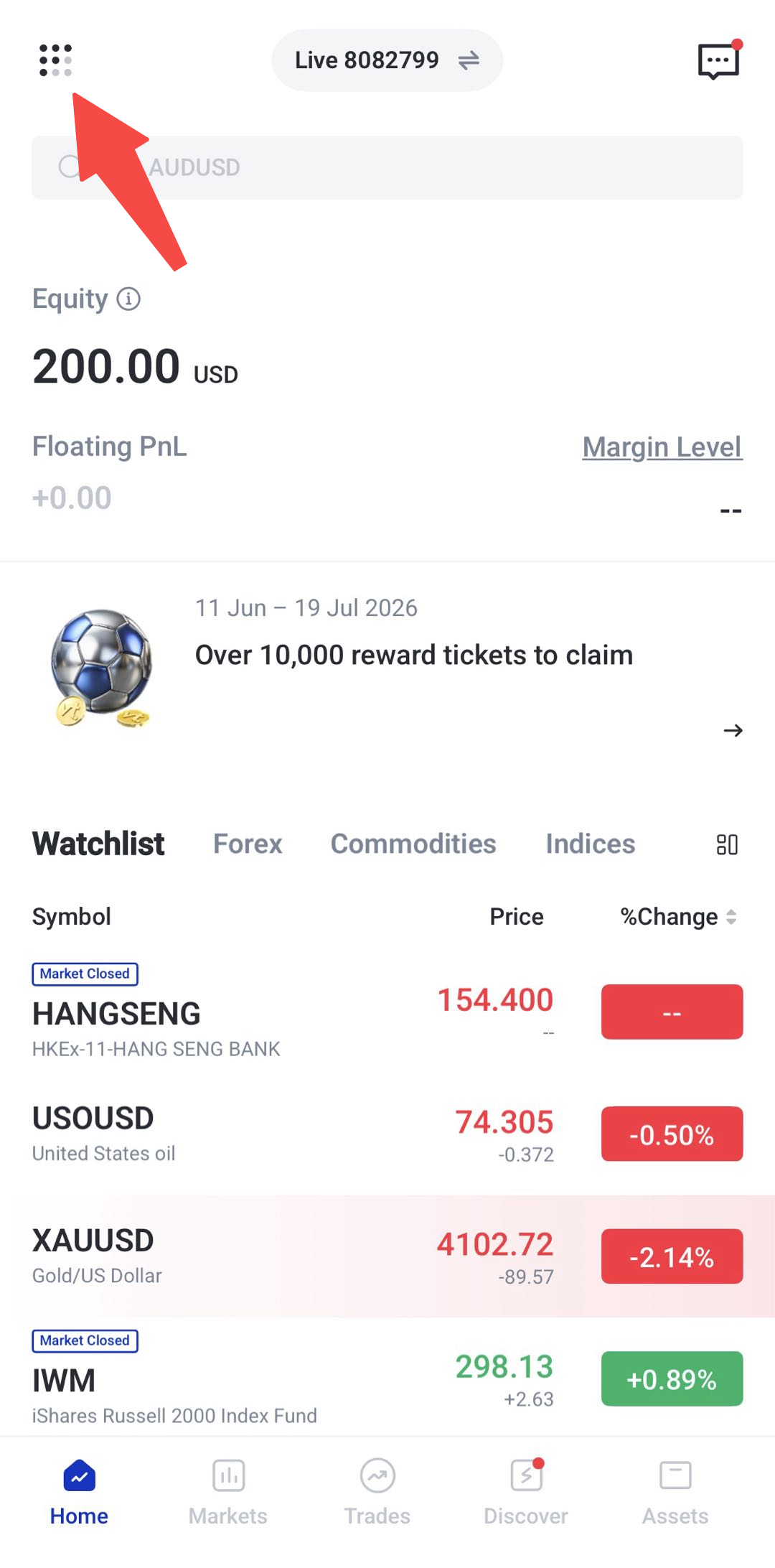
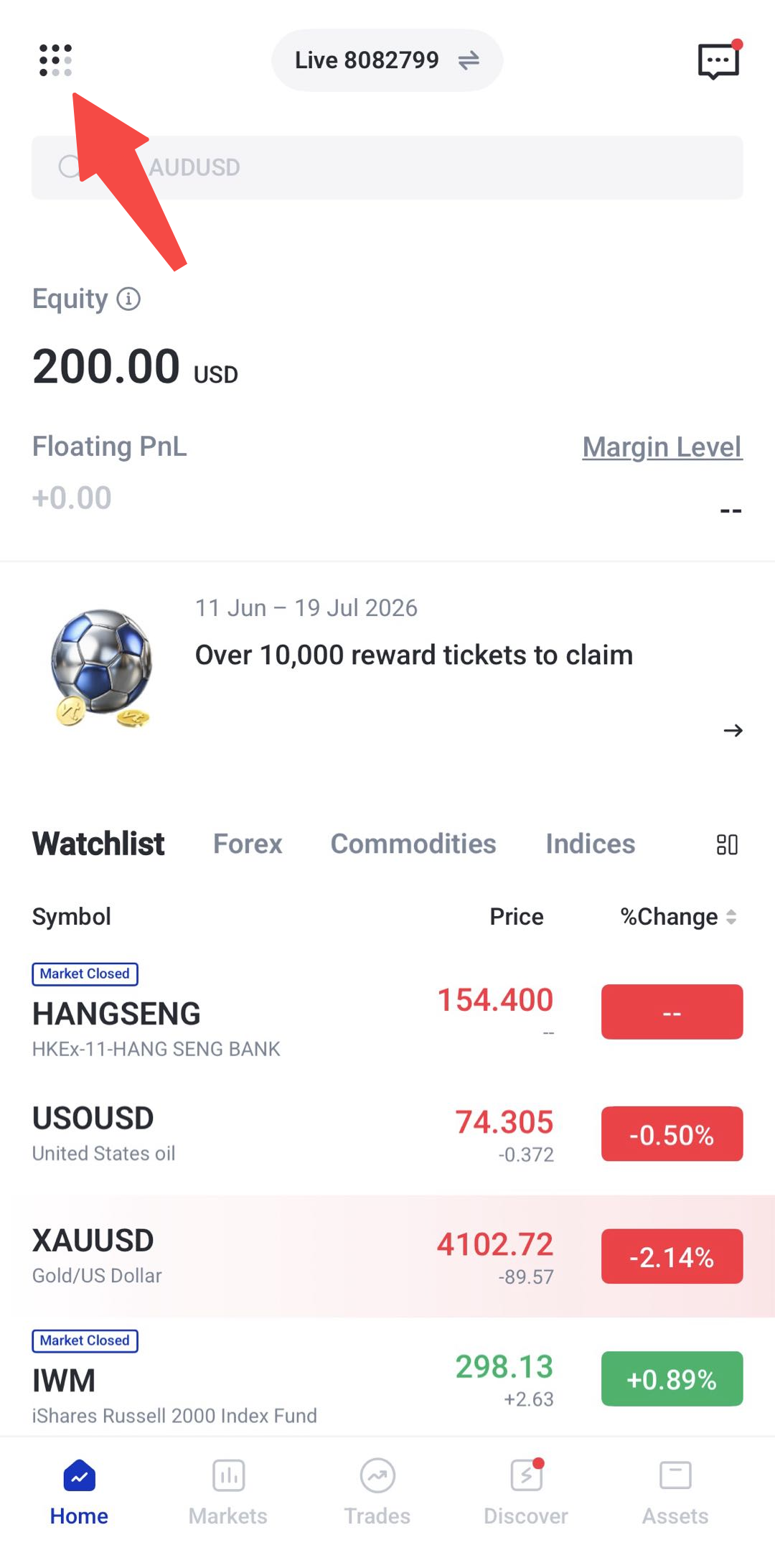
Step 2: Tap the Menu Bar Button
From the app homepage, tap the menu bar button to open the profile menu.
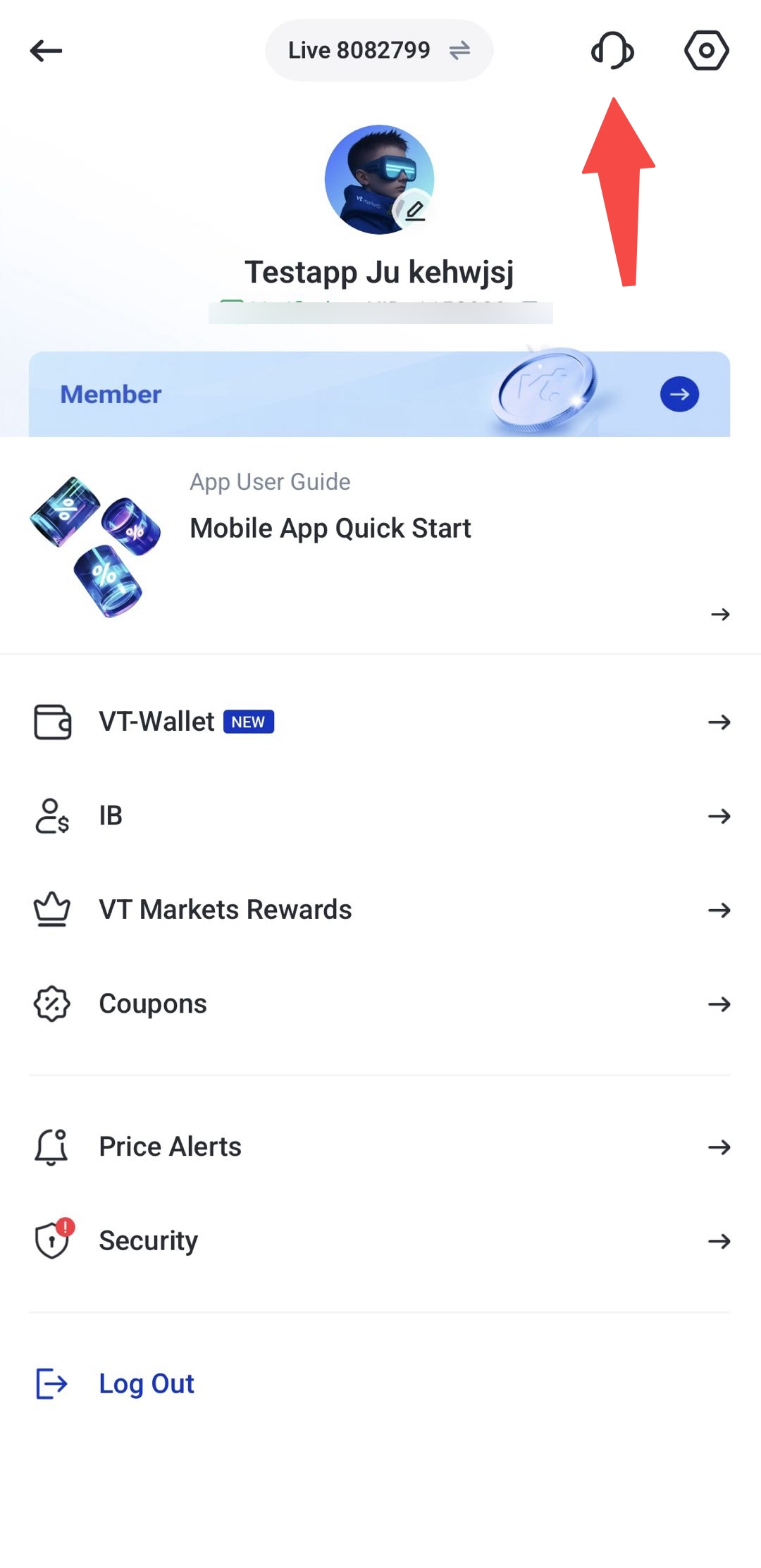
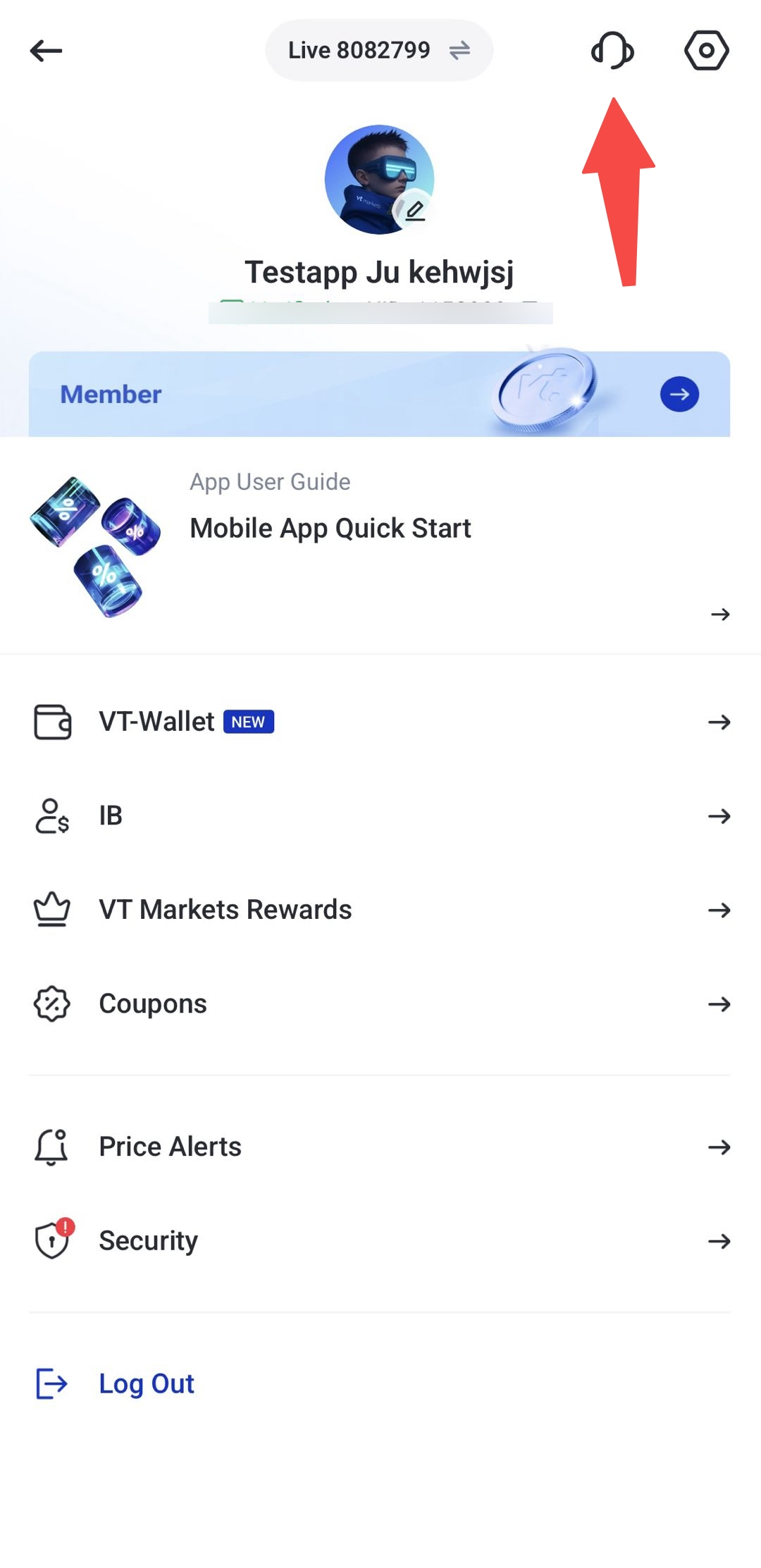
Step 3: Tap the Support Icon
Look for the support icon.
Step 4: Choose Your Preferred Support Option
You will see different support options, including:
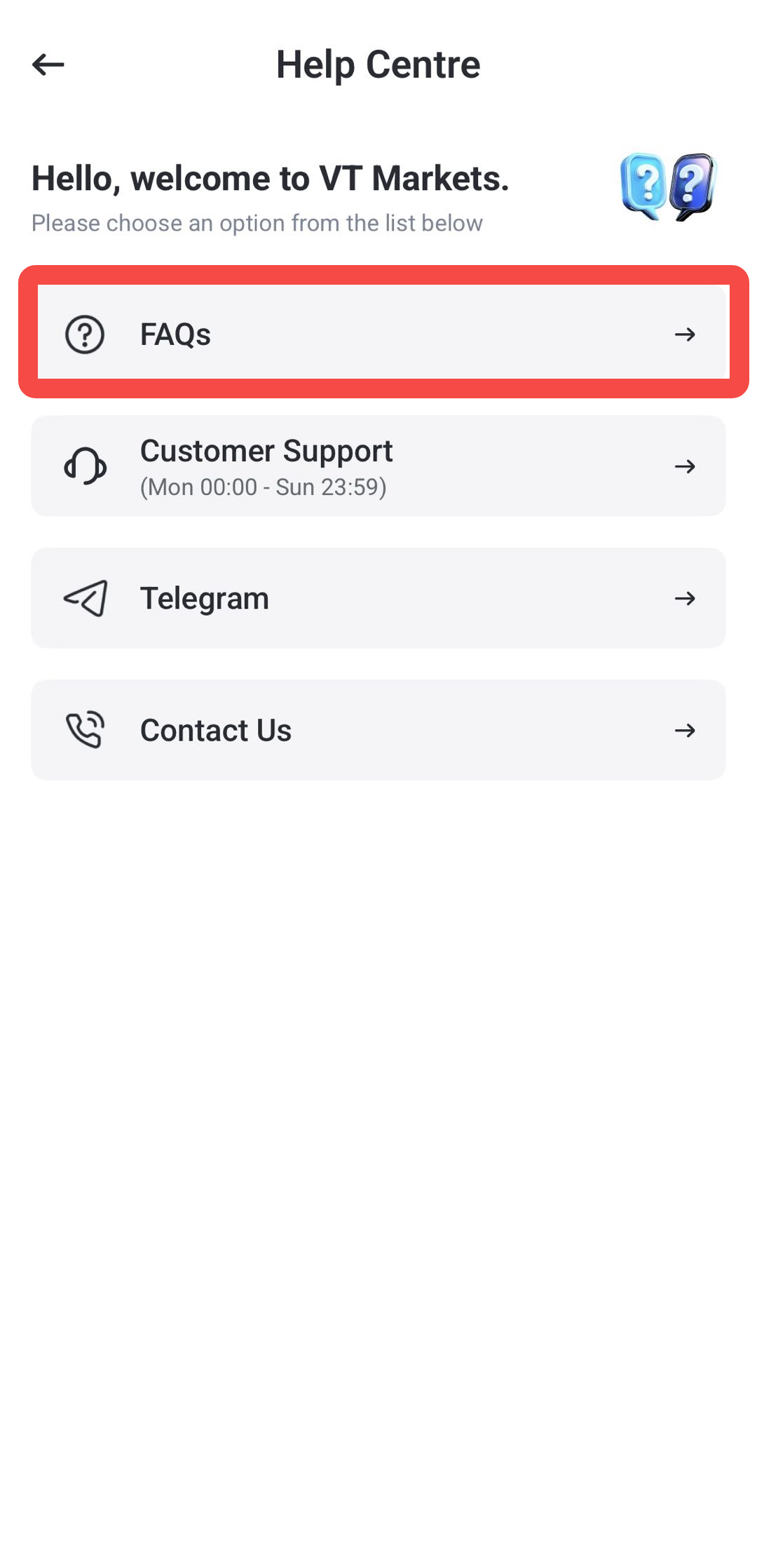
- FAQs
- Live Chat
- Telegram
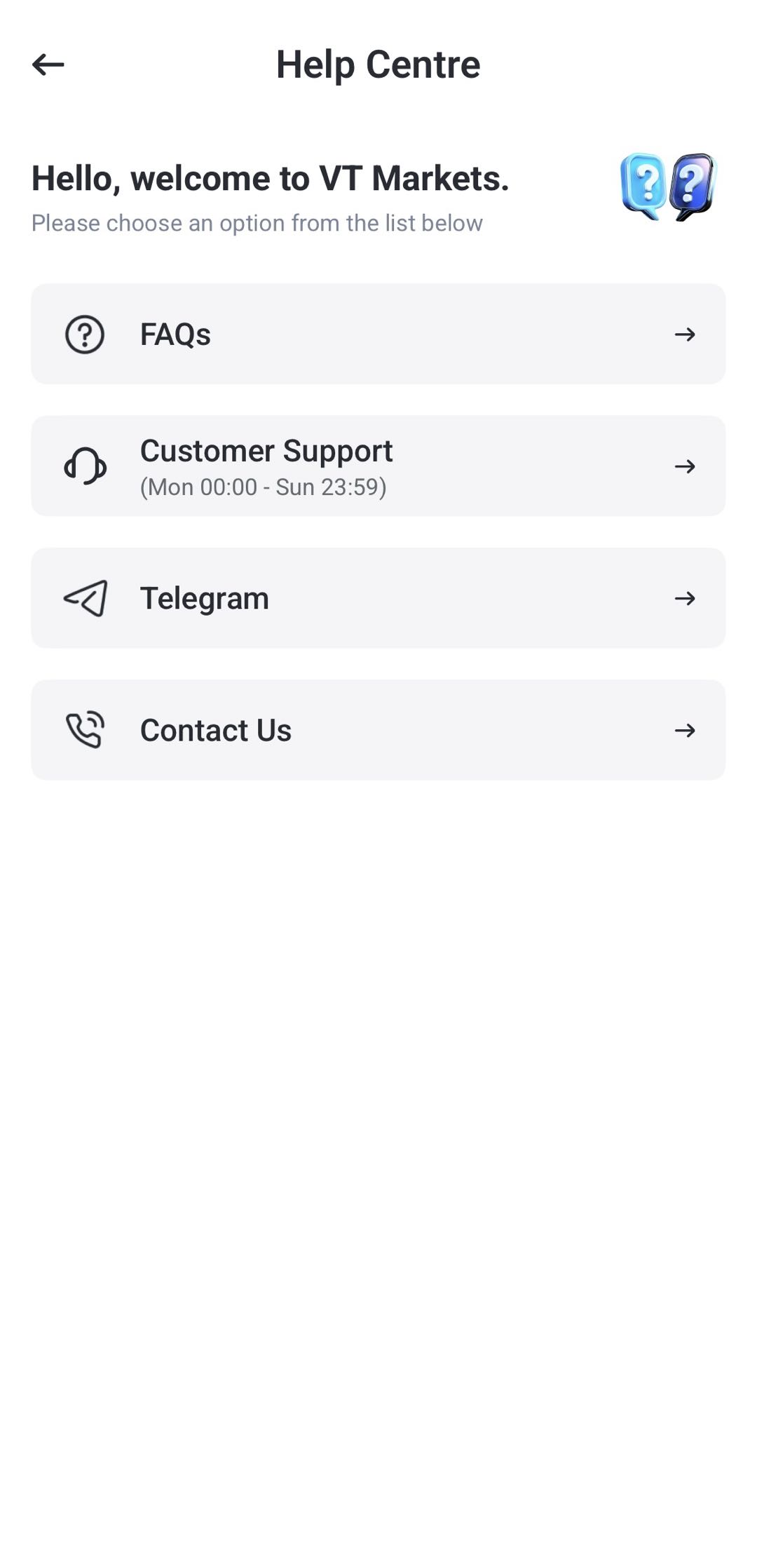
Select the option that best matches your question or issue.
How to Access FAQ on the VT Markets App
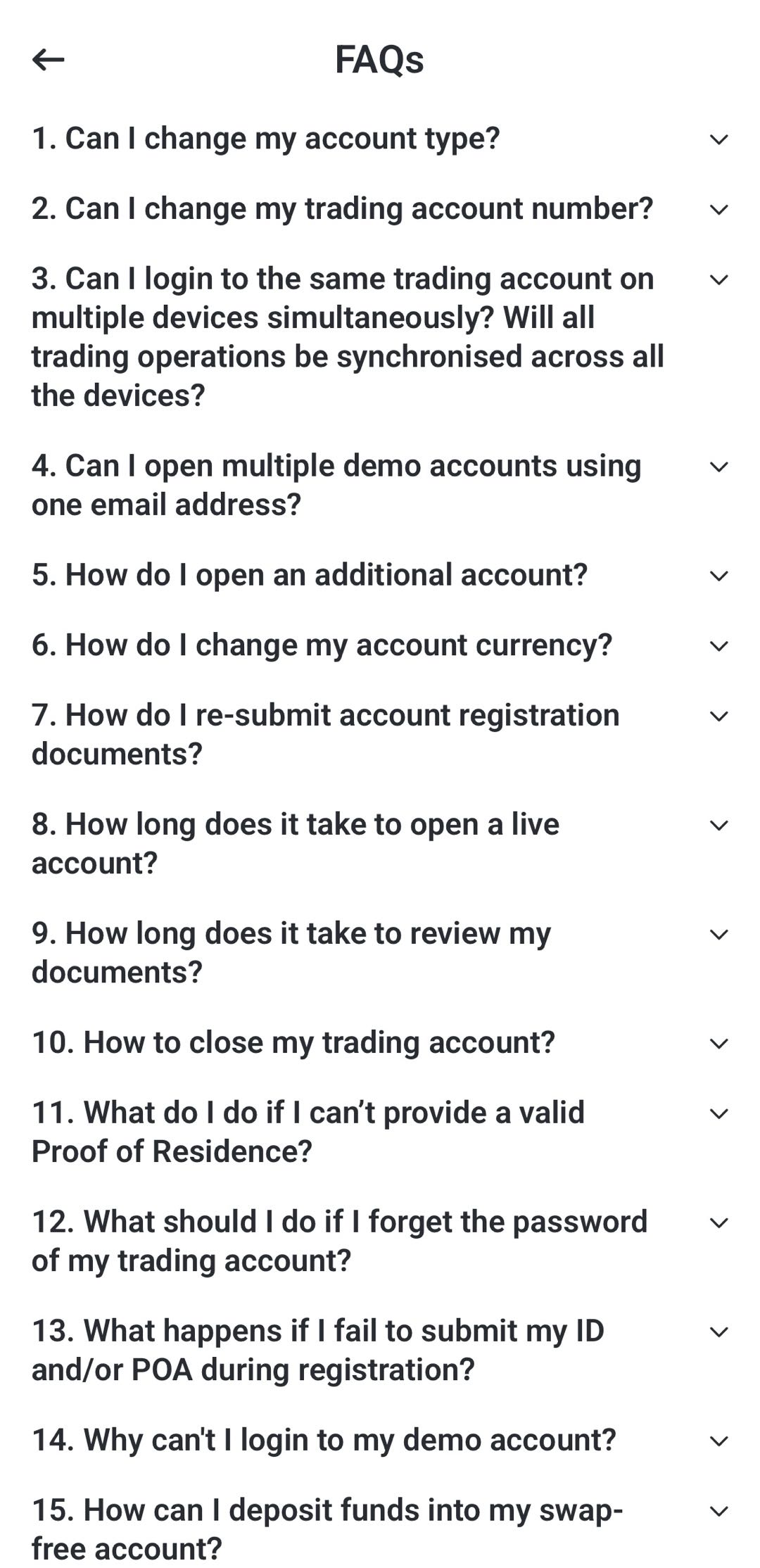
FAQ is useful if you want to check common questions before contacting support directly. It may include topics such as account setup, verification, deposits, withdrawals, trading platforms, and app features.
Step 1: Open the VT Markets App
Log in to your VT Markets account through the mobile app.
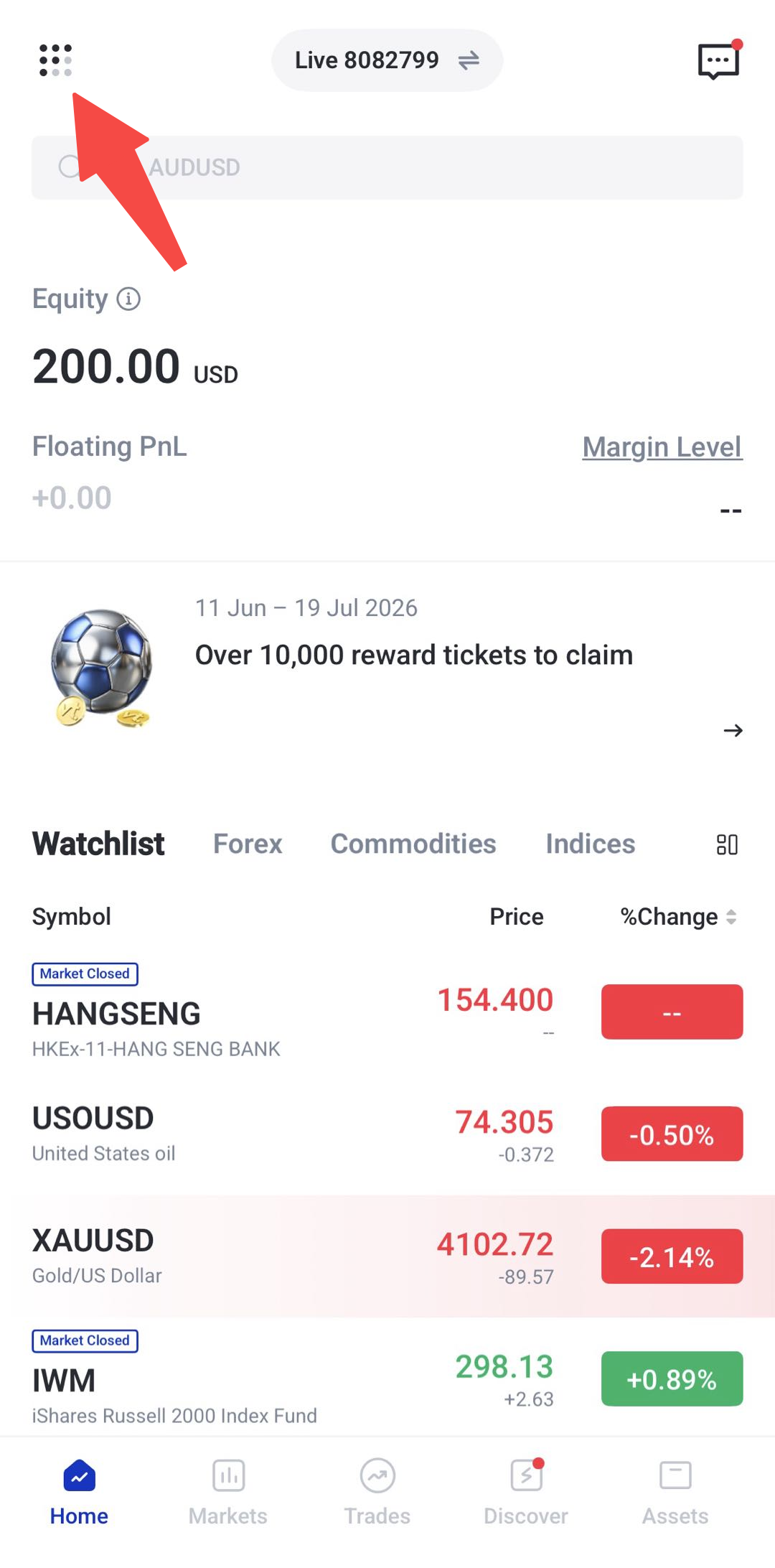
Step 2: Tap the Menu Bar Button
Open the main menu from the app homepage.
Step 3: Tap the Support Icon
Select the support icon.
Step 4: Select FAQ
Tap FAQ from the available support options.
Step 5: Search or Browse by Topic
You can search for a specific question or browse the available categories to find the information you need.
How to Contact Live Chat Support on the VT Markets App
Live chat is usually the fastest option if you need direct assistance from the support team.
Step 1: Open the VT Markets App
Log in to the VT Markets app using your registered email address, phone number, or account login details.
Step 2: Tap the Menu Bar Button
Open the main menu from the app homepage.
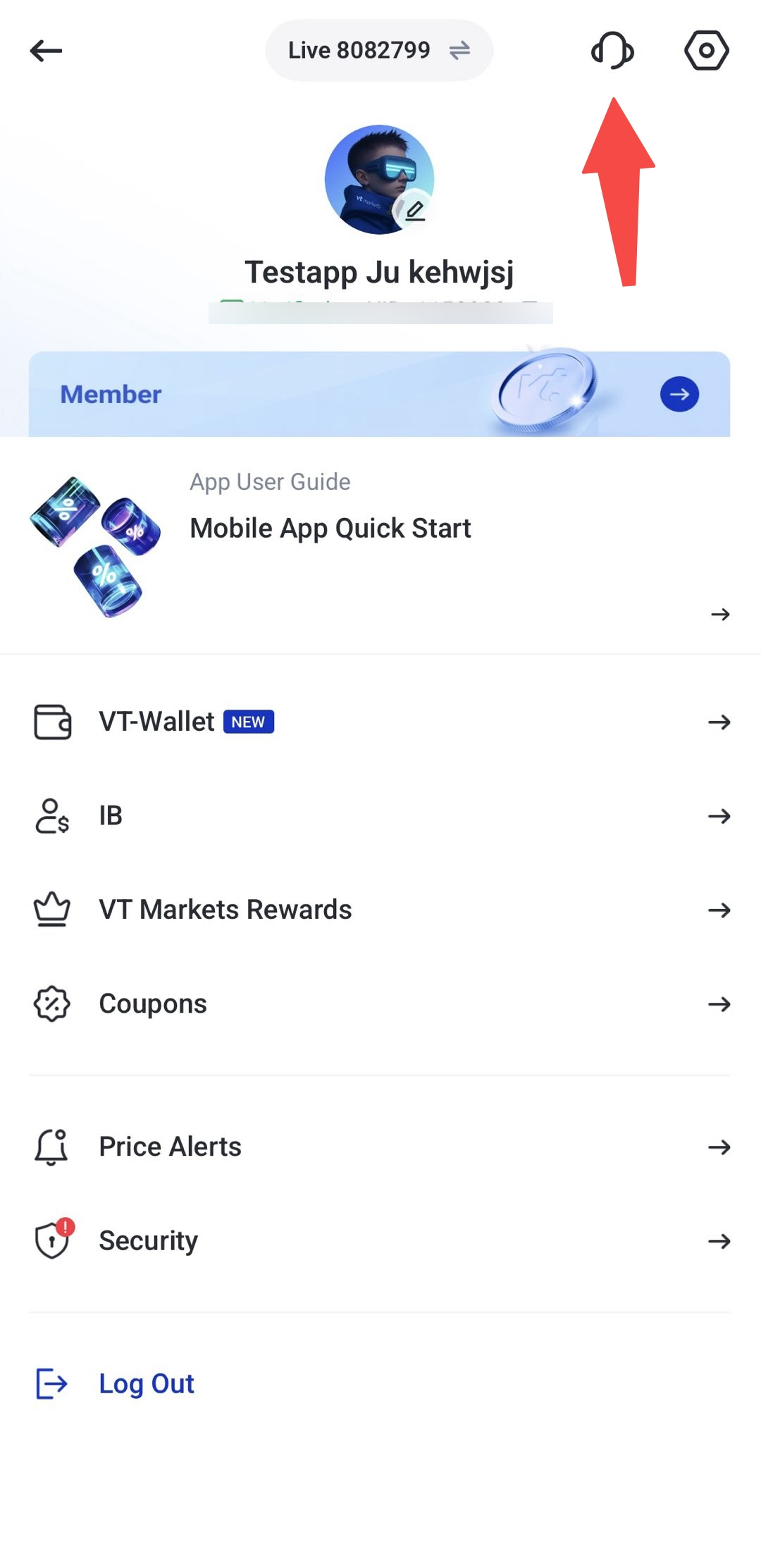
Step 3: Tap the Support Icon
Click the support icon
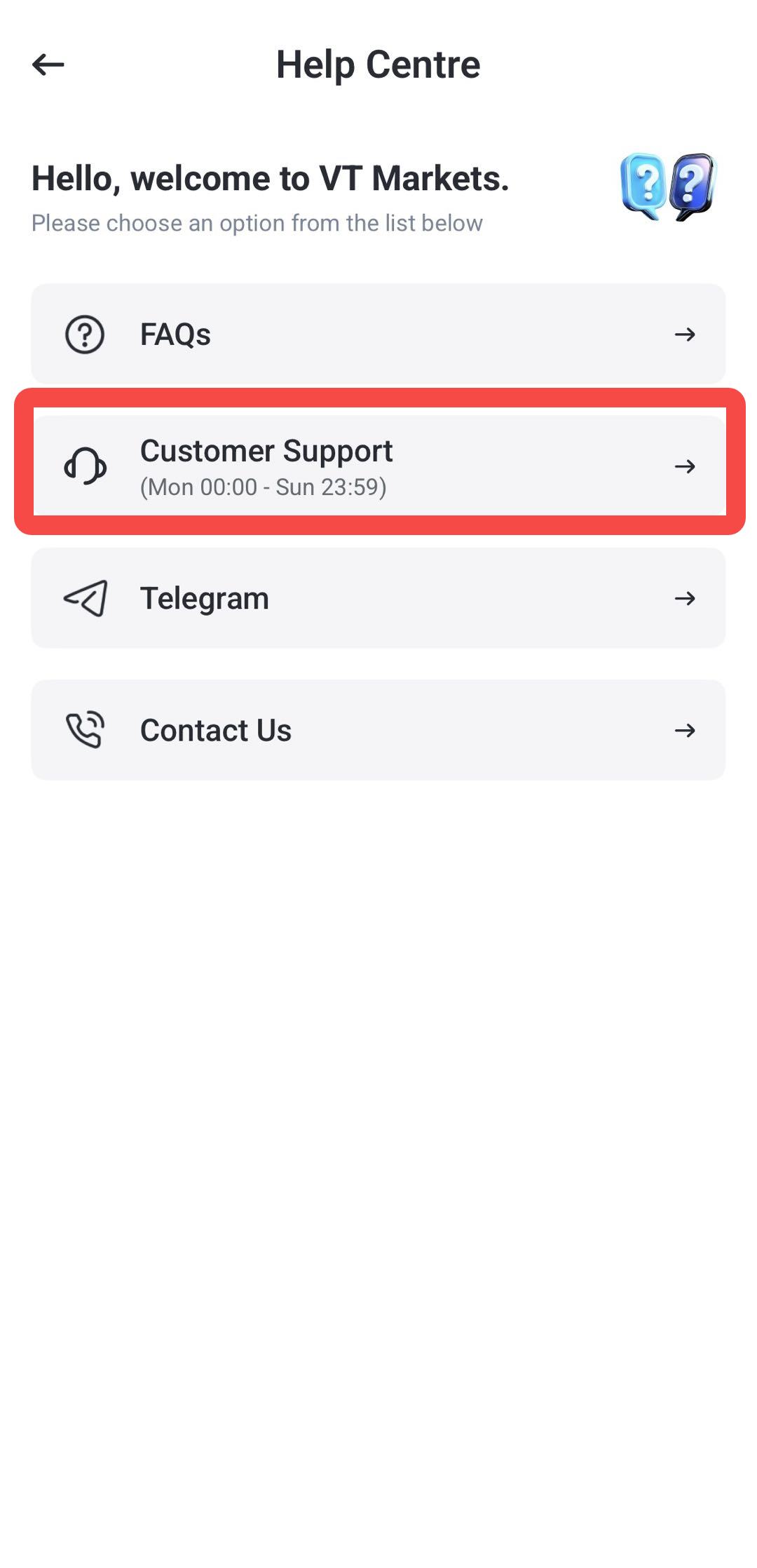
Step 4: Select Live Chat
Choose customer support options.
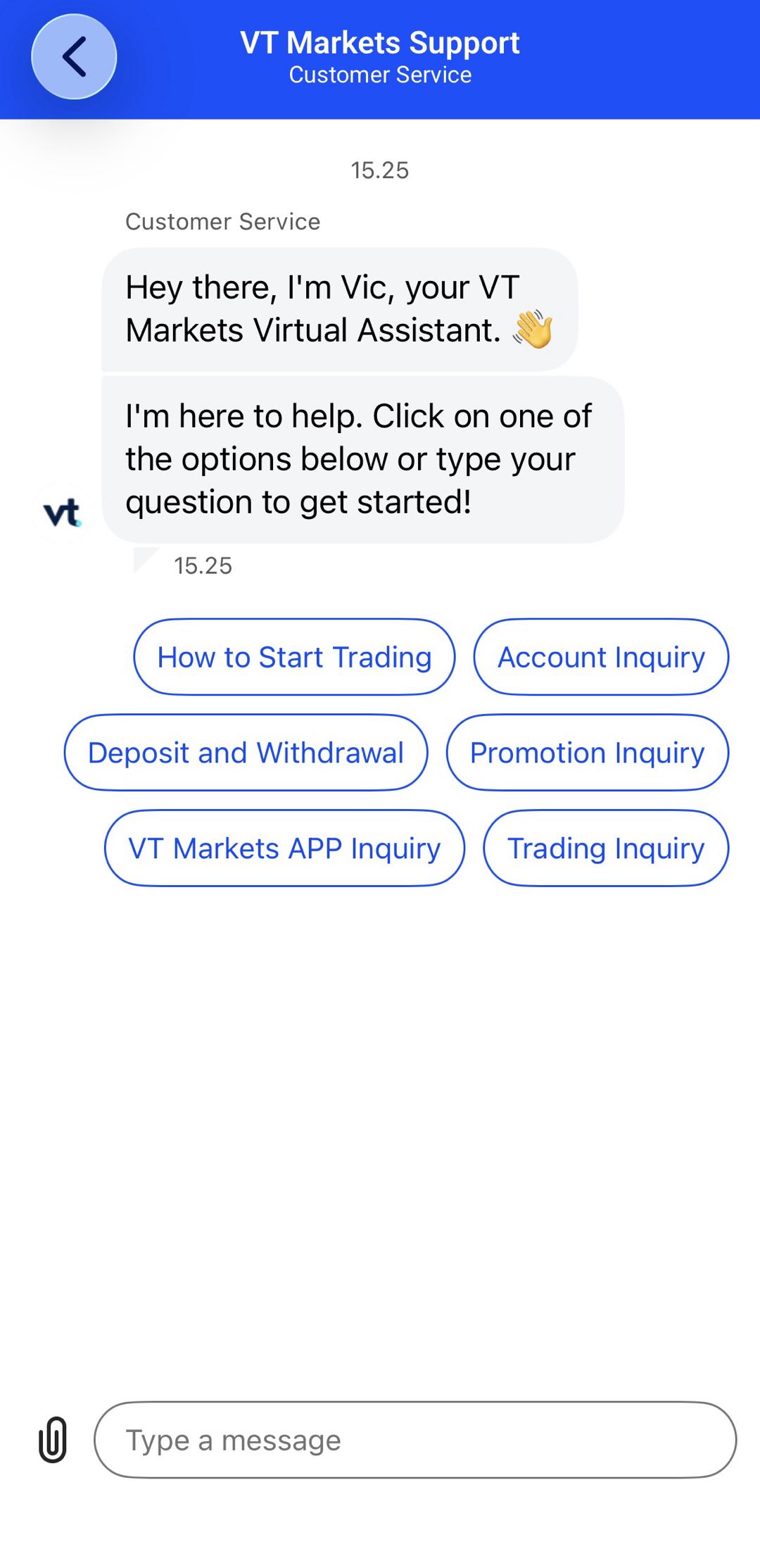
Step 5: Enter Your Question
Select the relevant topic. If your issue relates to an account, trade, deposit, withdrawal, or app error, include the key details so the support team can assist you faster.
Step 6: Wait for a Support Agent
A support agent will respond through the live chat. Response time may vary depending on demand.
How to Contact VT Markets Support via Telegram
Telegram may be available as a support option through the VT Markets app. This can be useful if you prefer messaging through Telegram.
Step 1: Open the VT Markets App
Launch the app and log in to your account.
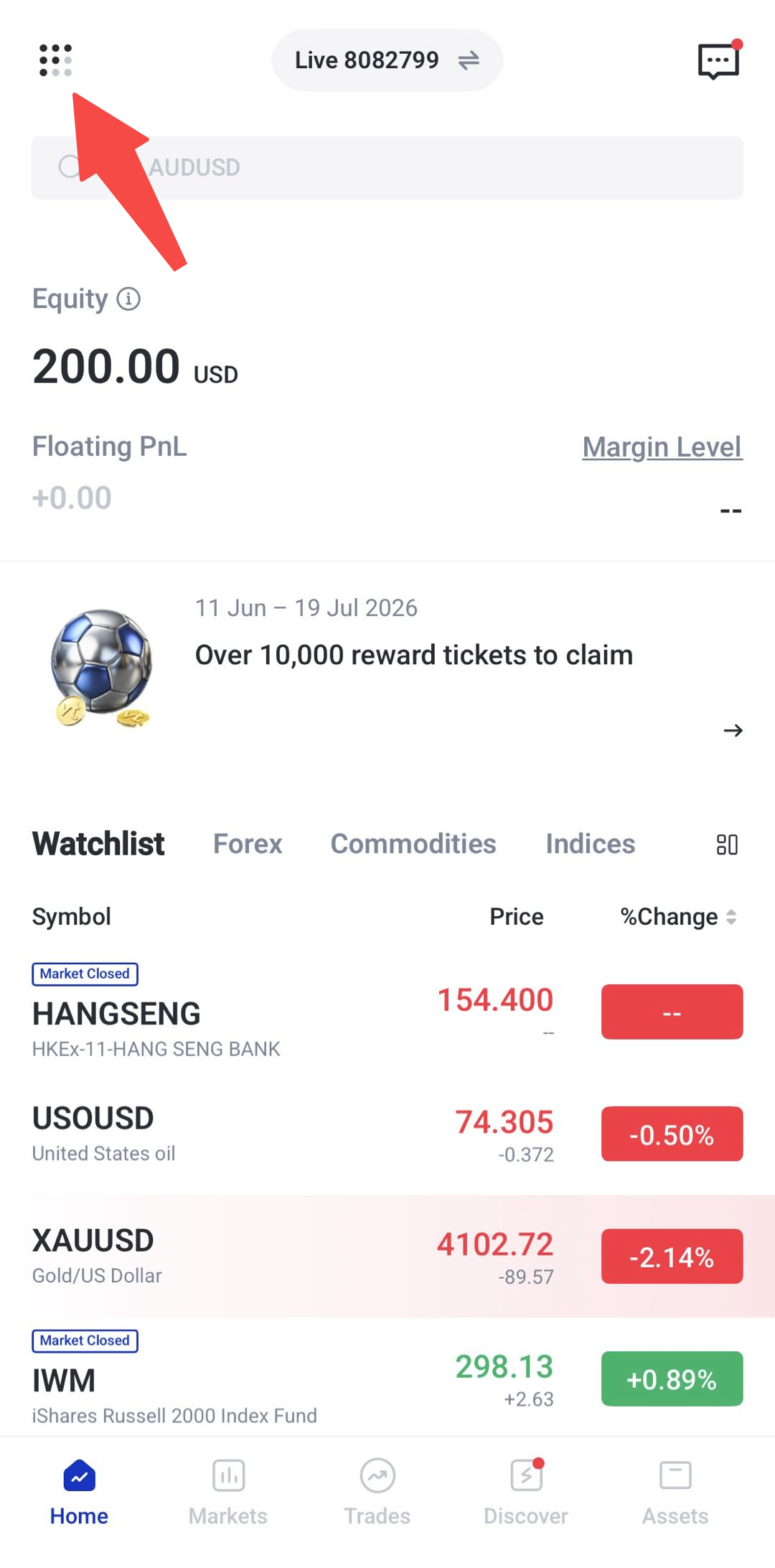
Step 2: Tap the Menu Bar Button
Open the main menu from the app homepage.
Step 3: Tap the Support Icon
Click the support icon
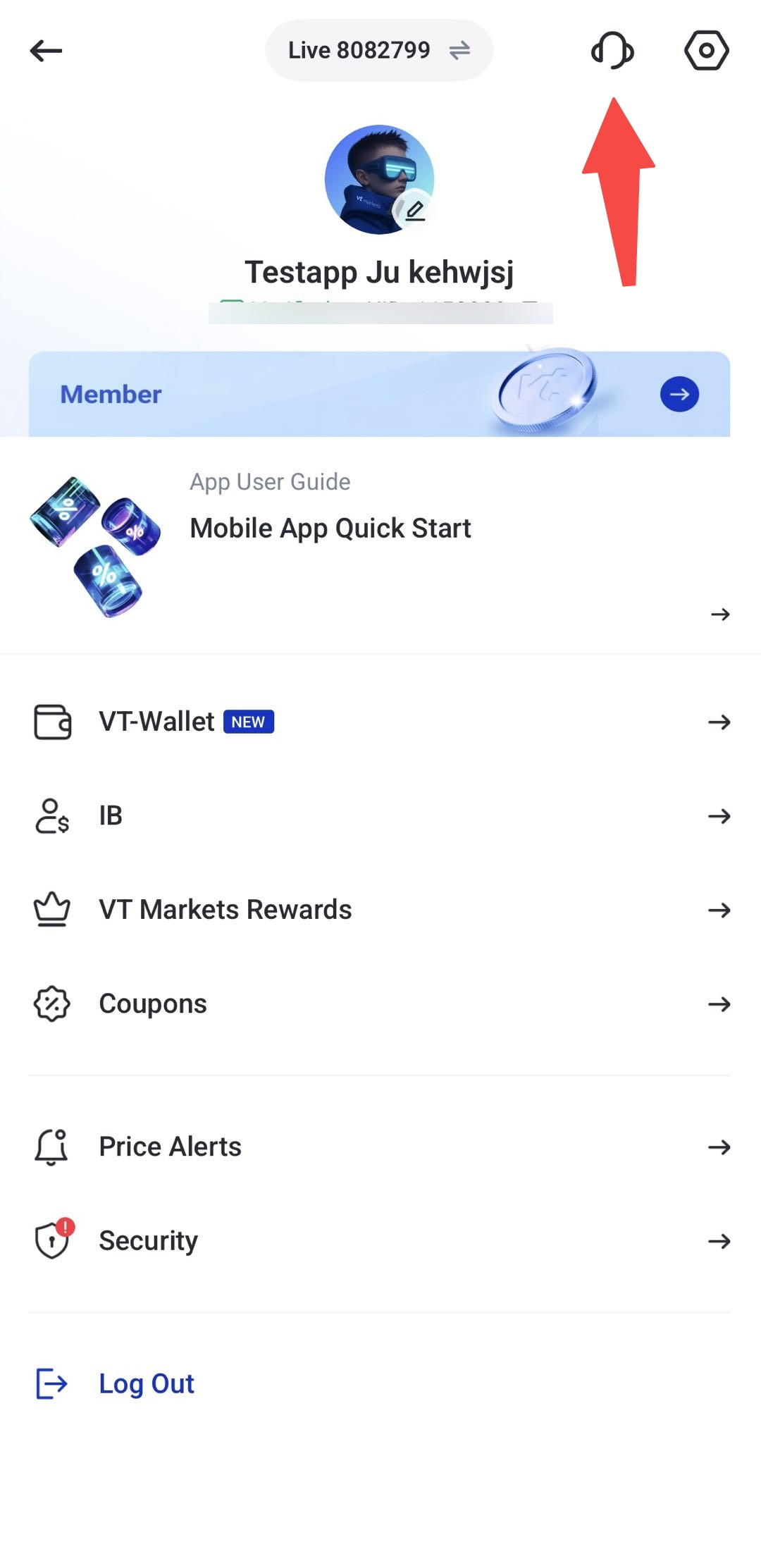
Step 4: Select Telegram
Tap Telegram from the available contact channels.
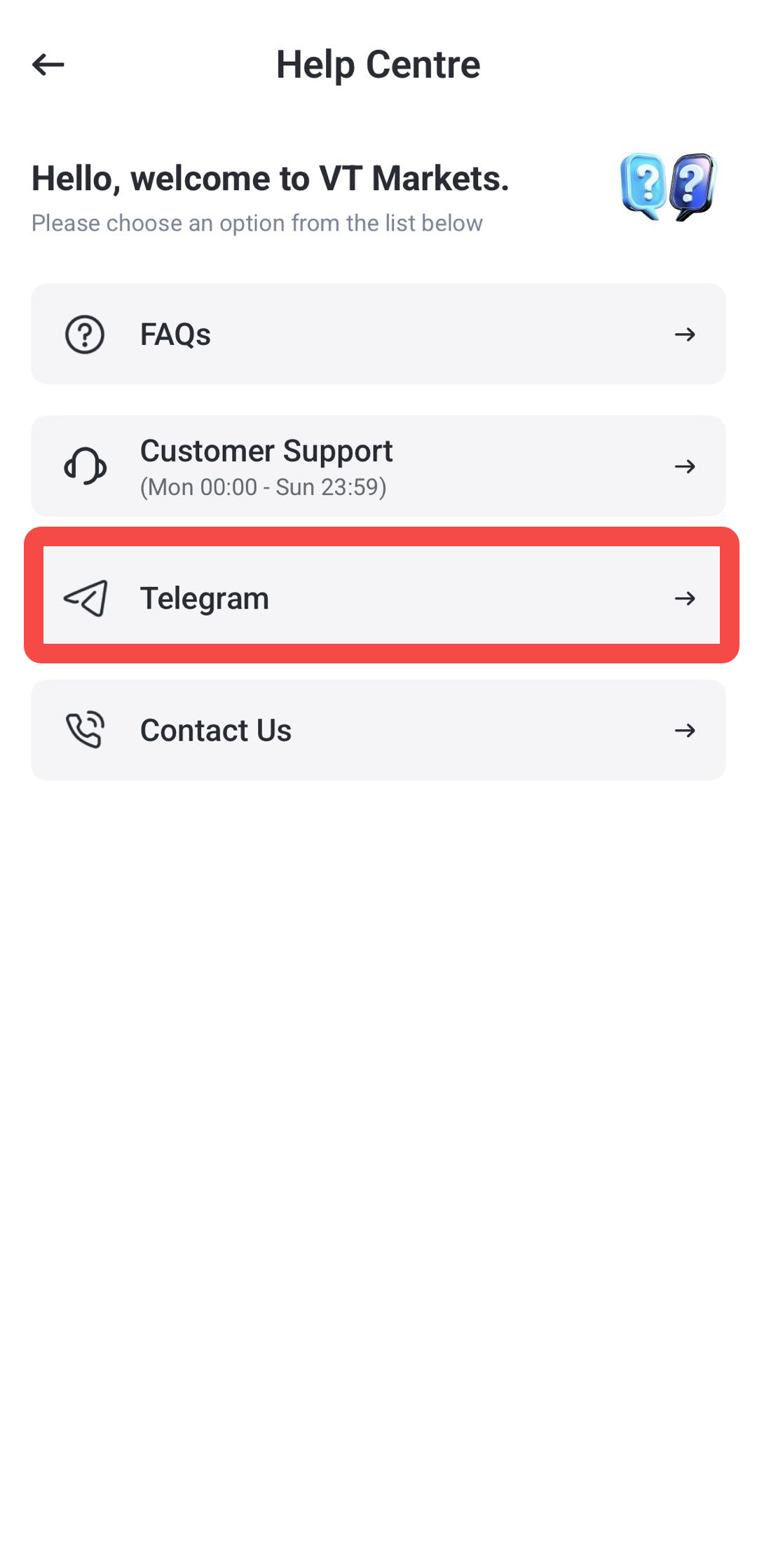
Step 5: Continue to Telegram
The app may redirect you to VT Markets official Telegram.
Click start and follow the on-screen instructions to continue.
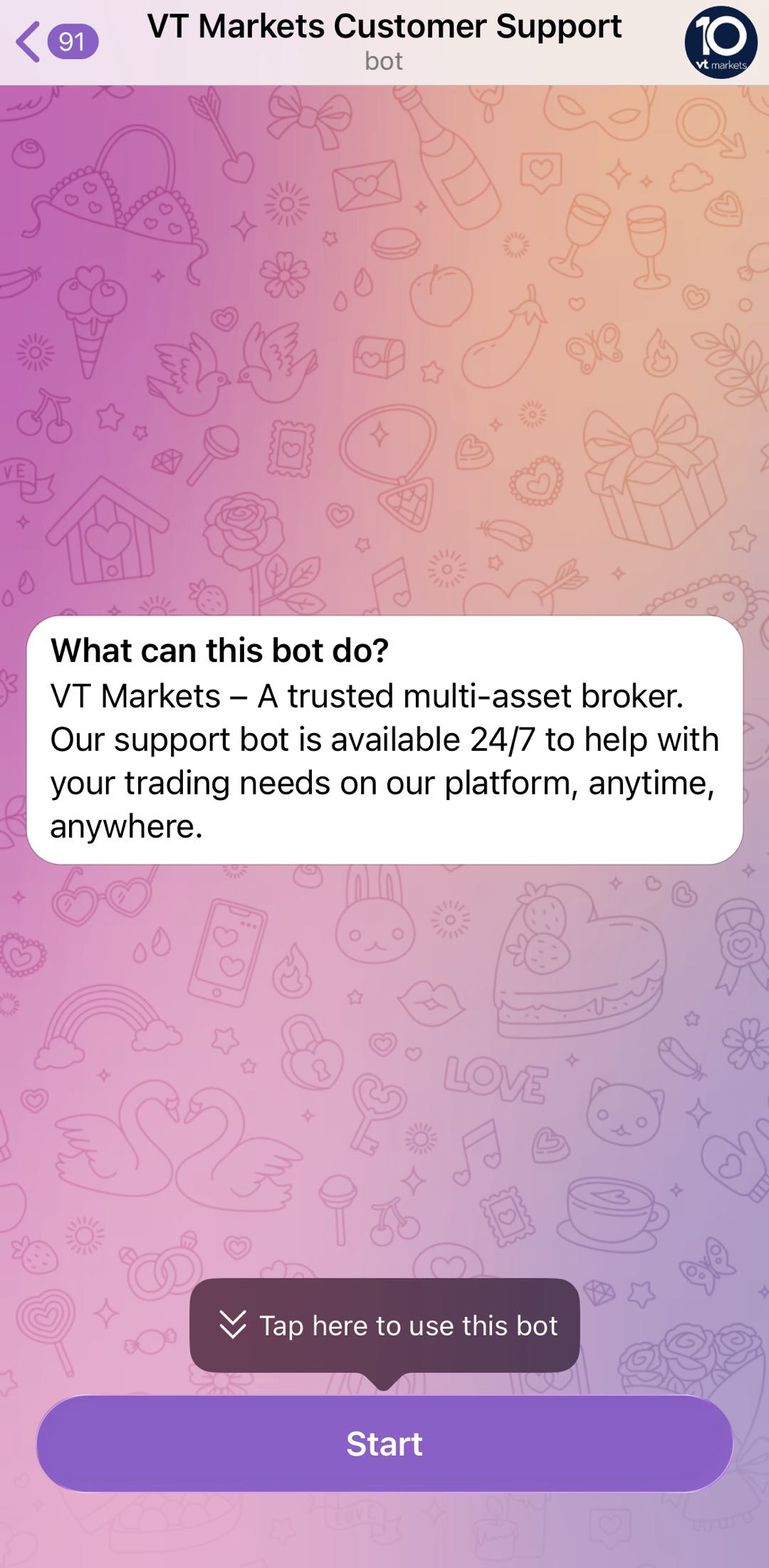
Step 6: Send Your Question
Explain your issue clearly and include relevant details where needed.
For account security, only use the official Telegram contact shown inside the VT Markets app. Do not share your password, one-time password, or sensitive account credentials with anyone.
How to Contact VT Markets Support by Email
Email support is useful for detailed questions, document-related requests, or issues that require attachments.
Step 1: Open the VT Markets App
Log in to your VT Markets account.
Step 2: Tap the Menu Bar Button
Open the main menu from the app homepage.
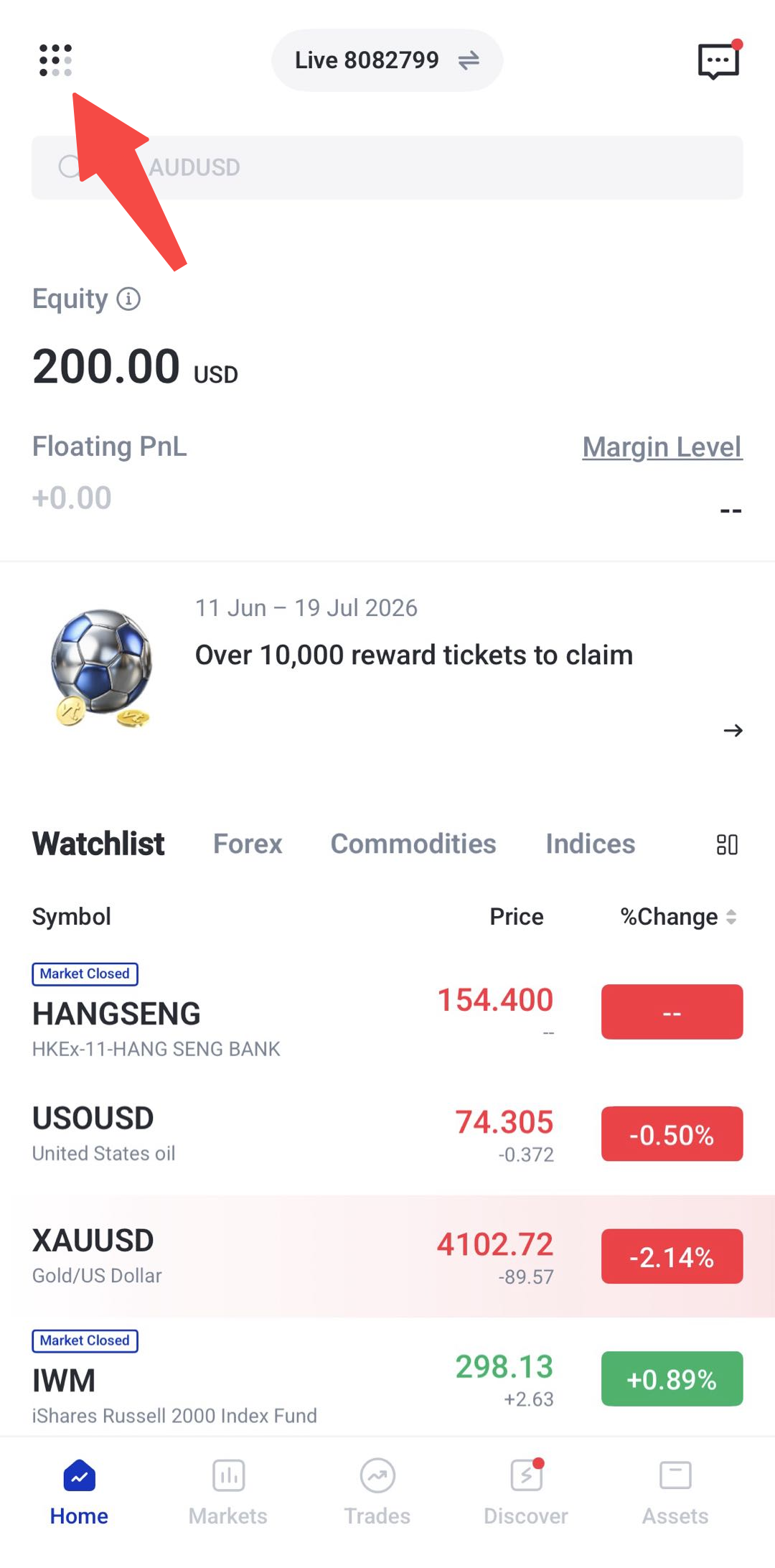
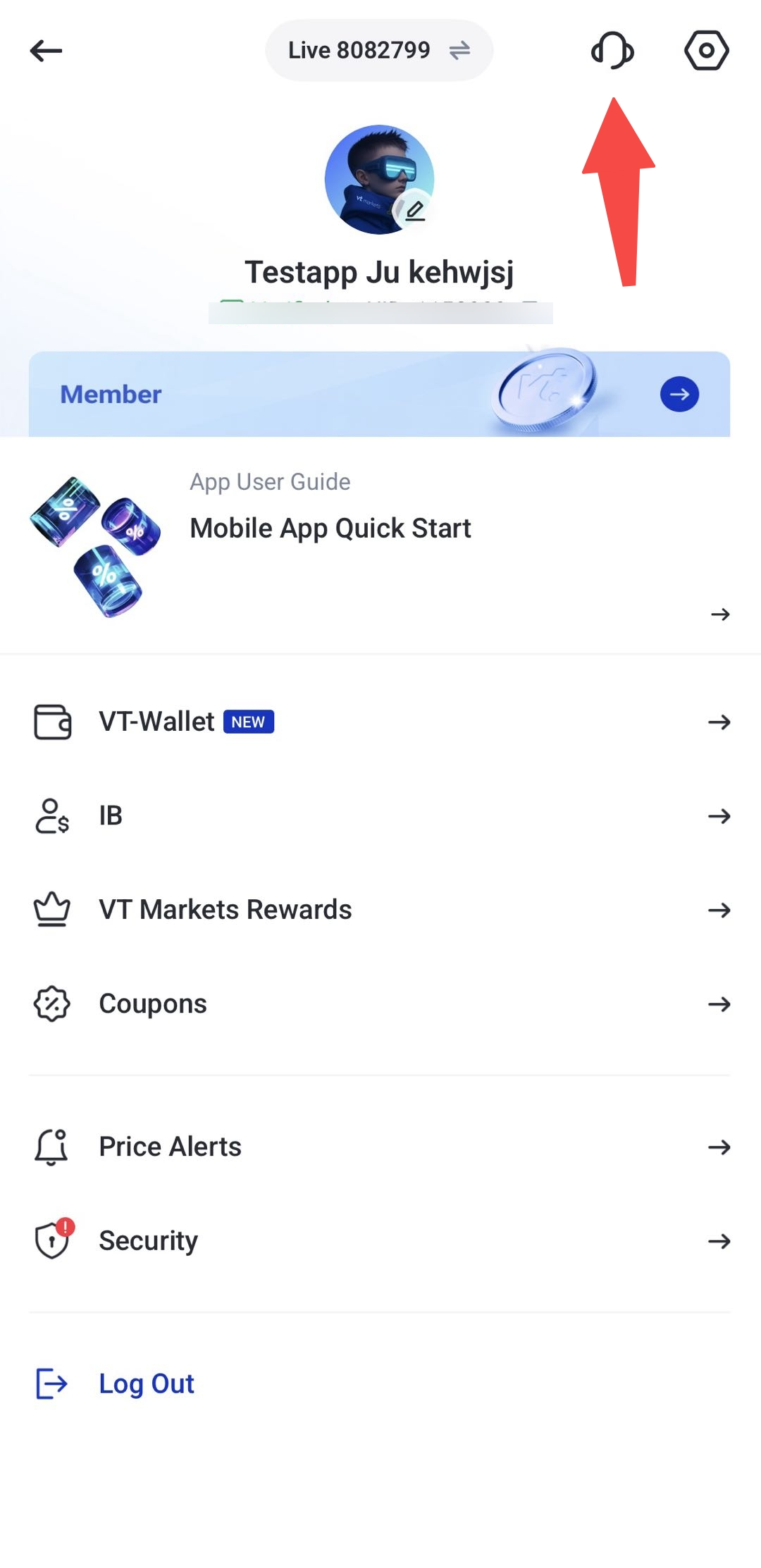
Step 3: Tap the Support Icon
Click the support icon.
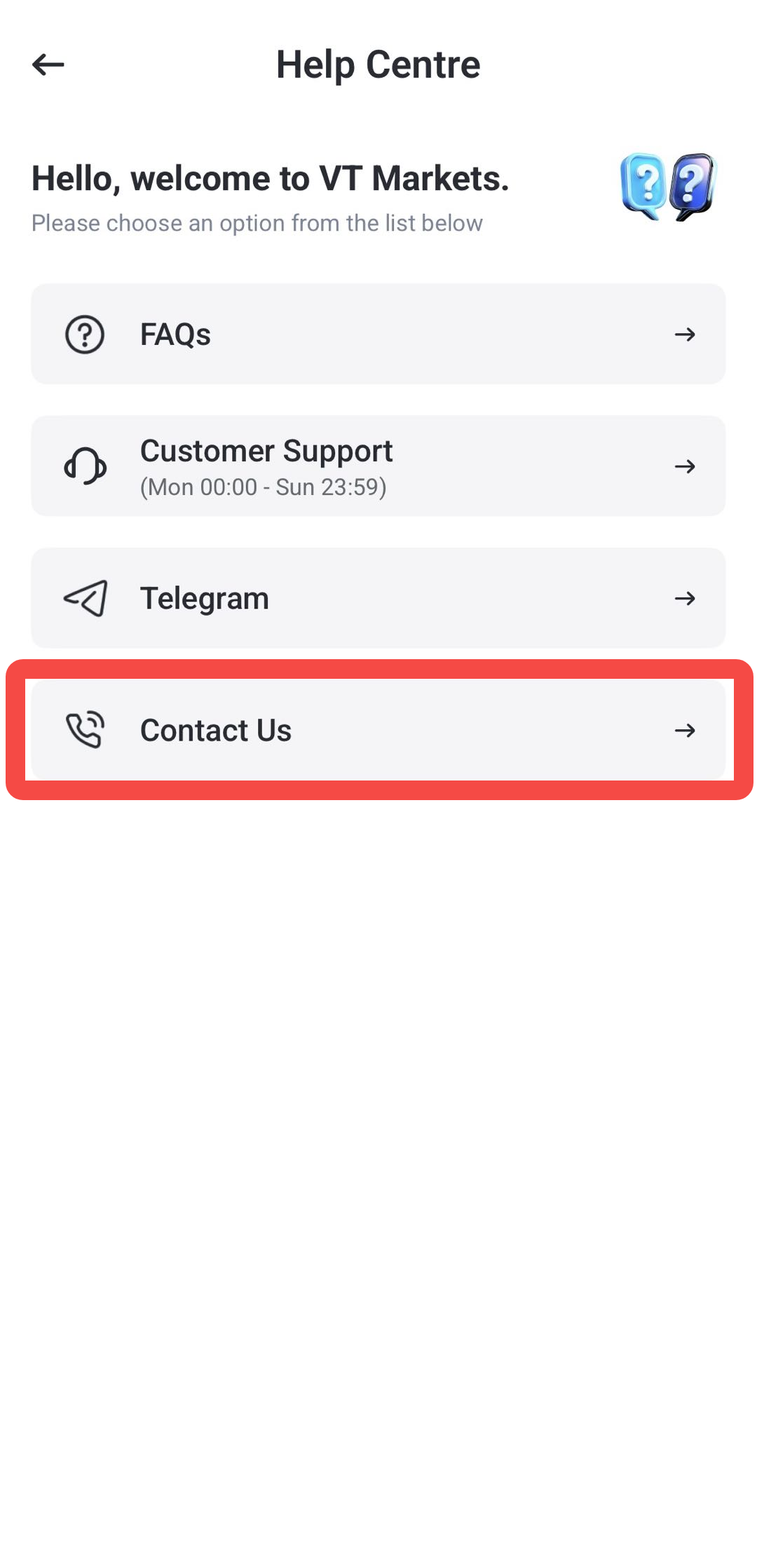
Step 4: Select Contact Us
Choose contact us options from the available support options.
Step 5: Write Your Message
Prepare your email with a clear subject line and explain your issue in detail and send email to [email protected] or [email protected]
Step 6: Include Supporting Details
Where possible, include:
- Your VT Markets UID
- Your MT4 or MT5 trading account number
- Screenshots or error messages
- Relevant transaction details
- Trade order ID, if the issue relates to a trade
- Date and time of the issue
Email support is best for account verification, payment checks, technical investigations, or questions that require written records and attachments.
Which Support Option Should You Choose
The table below shows when each support option may be useful.
| Support Option | Best For |
| FAQ | General questions, app guidance, and simple account information |
| Live Chat | Urgent support, quick questions, and platform-related issues |
| Telegram | Chat-based support through Telegram, where available |
| Detailed issues, document checks, attachments, and written records |
Tips for Faster Support
To help the support team understand your issue faster, provide clear and complete information from the start.
Before contacting support, prepare the following details where relevant:
- Your VT Markets UID
- Your MT4 or MT5 account number
- A short explanation of the issue
- Screenshots of the error or page
- The date and time the issue happened
- Order ID, transaction reference, or instrument name if applicable
For urgent app or trading platform issues, live chat is usually the most suitable option. For issues that need document review or account checks, email may be more appropriate.
Frequently Asked Questions
Where can I find customer support on the VT Markets app?
Open the VT Markets app, tap the menu bar button, then select the support icon. From there, you can choose FAQ, live chat, Telegram, or email support.
What is the fastest way to contact VT Markets support through the app?
Live chat is usually the fastest way to speak with a support agent directly. Response time may vary depending on demand.
Can I access FAQ from the VT Markets app?
Yes. You can access FAQ from the app’s support section. It is useful for common questions about account setup, verification, deposits, withdrawals, and app features.
Can I contact VT Markets through Telegram?
Yes. You can select the Telegram option in the VT Markets app, and you will be directed to the official VT Markets Telegram account for support.
When should I use email support?
Email support is suitable for detailed issues, document-based requests, account verification questions, transaction inquiries, or cases that require screenshots and attachments.
What information should I provide when contacting support?
You should include your VT Markets UID, MT4 or MT5 account number, screenshots, error messages, and any relevant transaction or trade details. This can help the support team review your case more efficiently.